Transparency Center
The Transparency Center is a public-facing privacy portal unique to Dxtra. It gives your data subjects a single place to view privacy notices, manage consent preferences, submit rights requests, review data mapping, and browse their processing activity log — all under your brand.
Unlike a traditional privacy notice (often labelled "Privacy Policy") buried in a footer link, the Transparency Center is interactive. Data subjects authenticate via a magic link email and see a personalized dashboard that reflects their own data, their own consent choices, and their own request history.
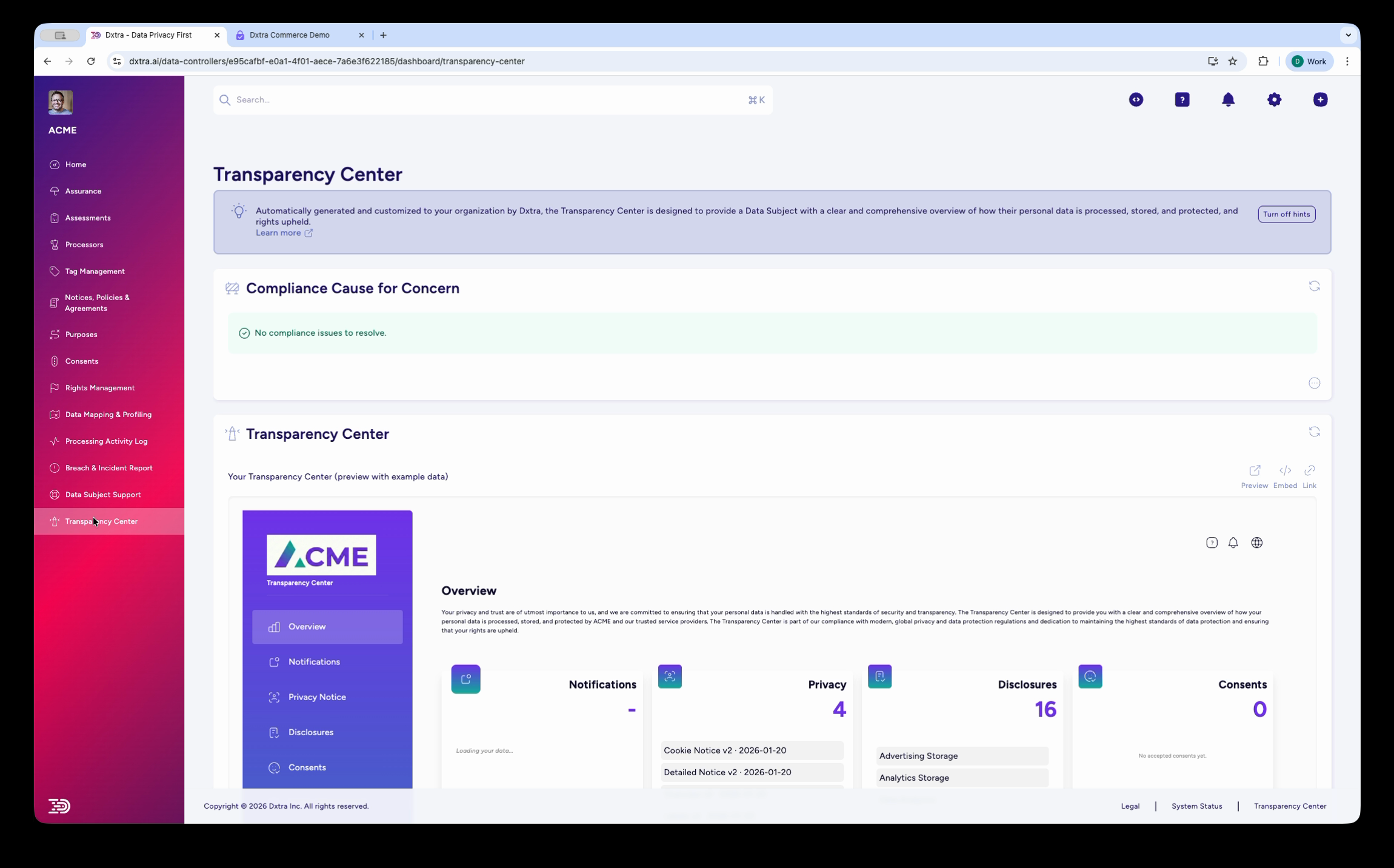
Every document you generate and approve in Dxtra — privacy notices, cookie notices, disclosures, consent categories — is automatically published to the Transparency Center. When you regenerate a document after a regulation change, the Transparency Center updates too. No manual copy-pasting between systems.
What data subjects see
When a data subject accesses the Transparency Center, they see a branded portal with navigation to the following sections:
Overview — A dashboard with summary tiles showing counts for notifications, privacy documents, disclosures, consent items, rights requests, and privacy signals. The data subject's pseudonymized Data Subject ID (a DID) is displayed at the top.
Notifications — Messages from the data controller, such as a welcome notification or updates about policy changes.
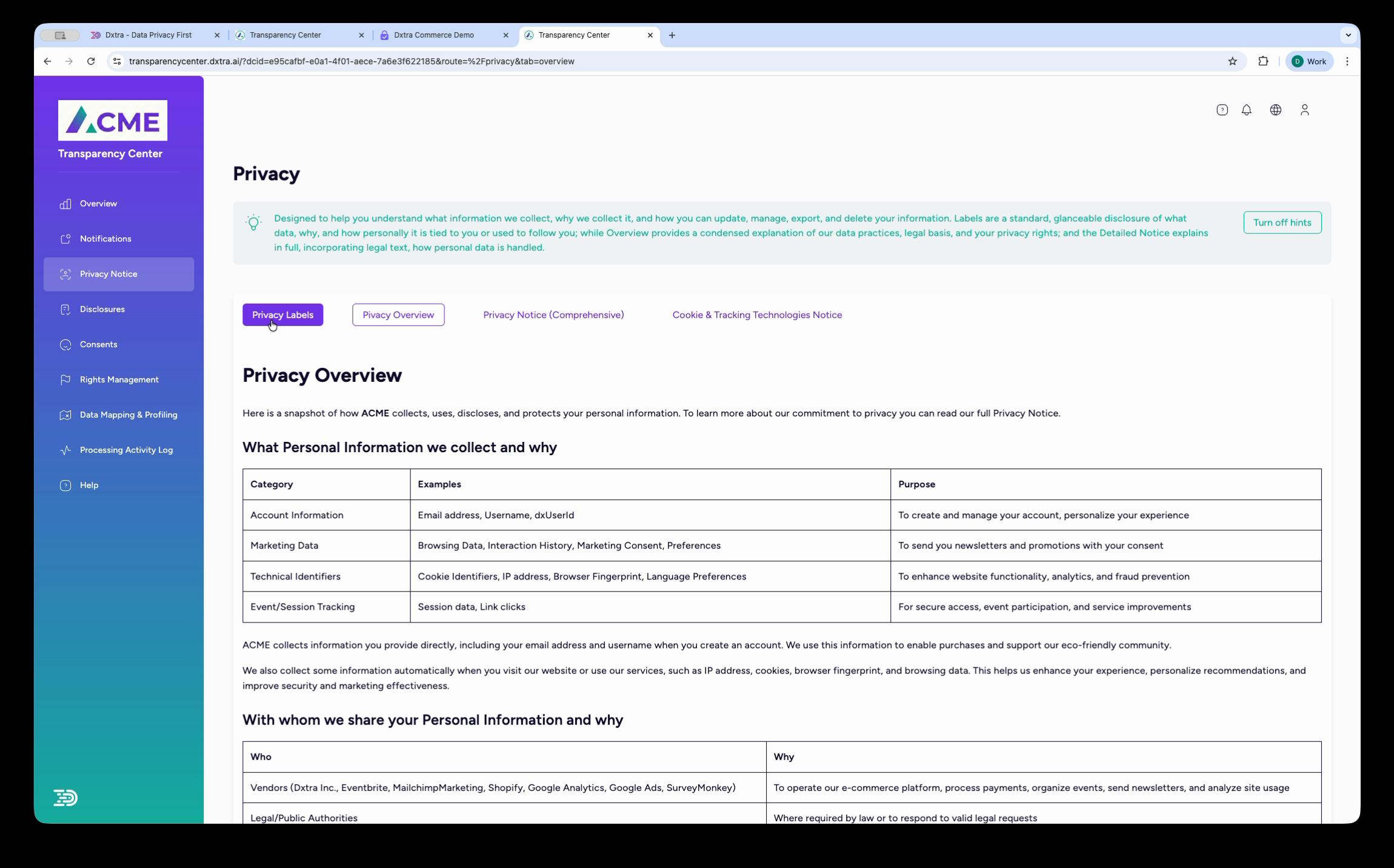
Privacy Notice — The full privacy notice with four viewing formats: Privacy Labels (at-a-glance icons), Privacy Overview (summary), Privacy Notice (comprehensive legal text), and Cookie & Tracking Technologies Notice. All AI-generated and available in multiple languages.
Disclosures — A listing of specific data processing disclosures, grouped by purpose (advertising storage, analytics storage, data analytics, and others as configured).
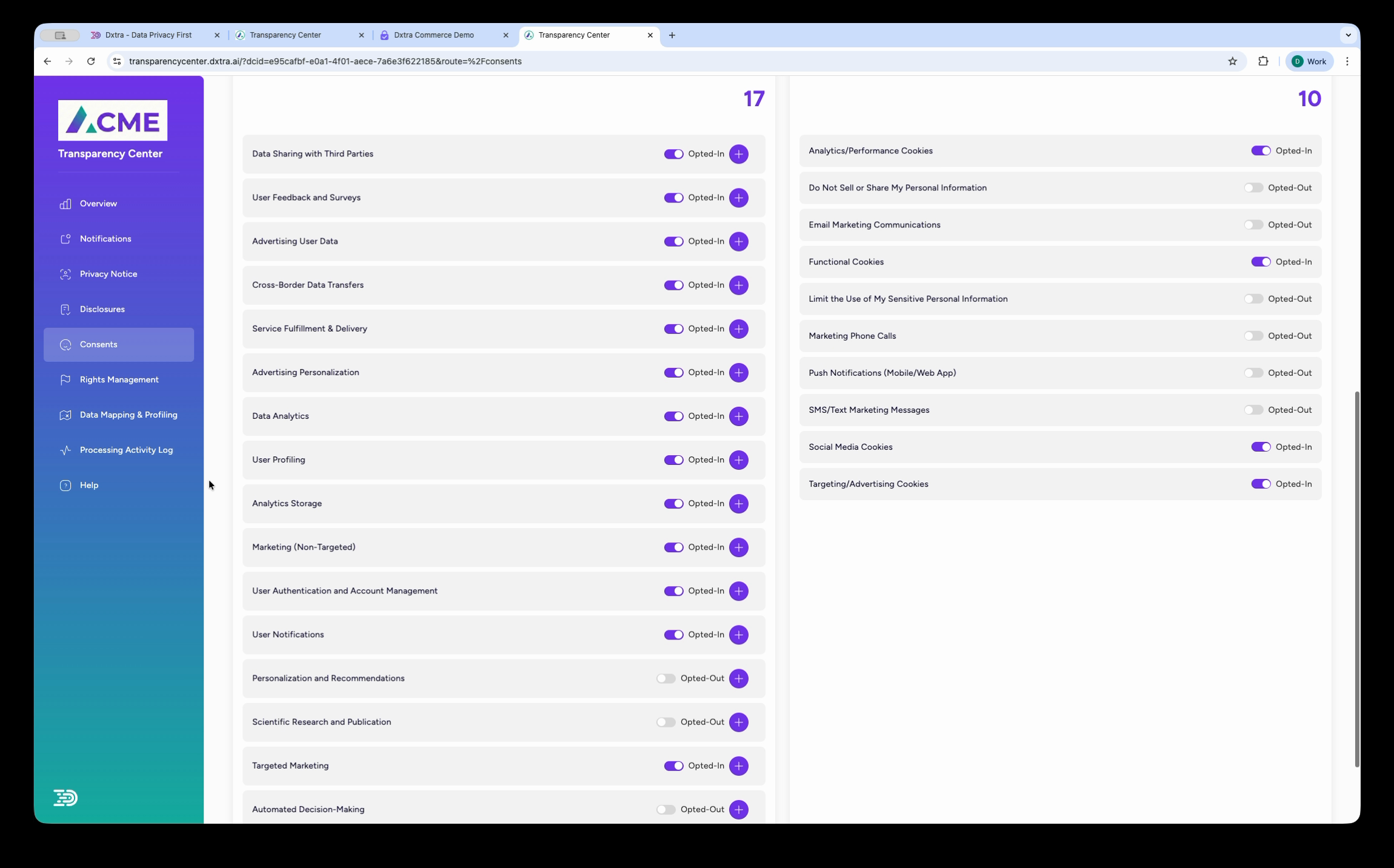
Consents — A full breakdown of the data subject's consent status. Two categories are shown: "Data Not Linked to You" and "Data Linked to You", followed by individual consent purposes (each with an Opted In/Opted Out toggle) and preference categories (Analytics Cookies, Functional Cookies, Targeting Cookies, and others — each with an Opt Out toggle). Data subjects can update their preferences directly from this page.
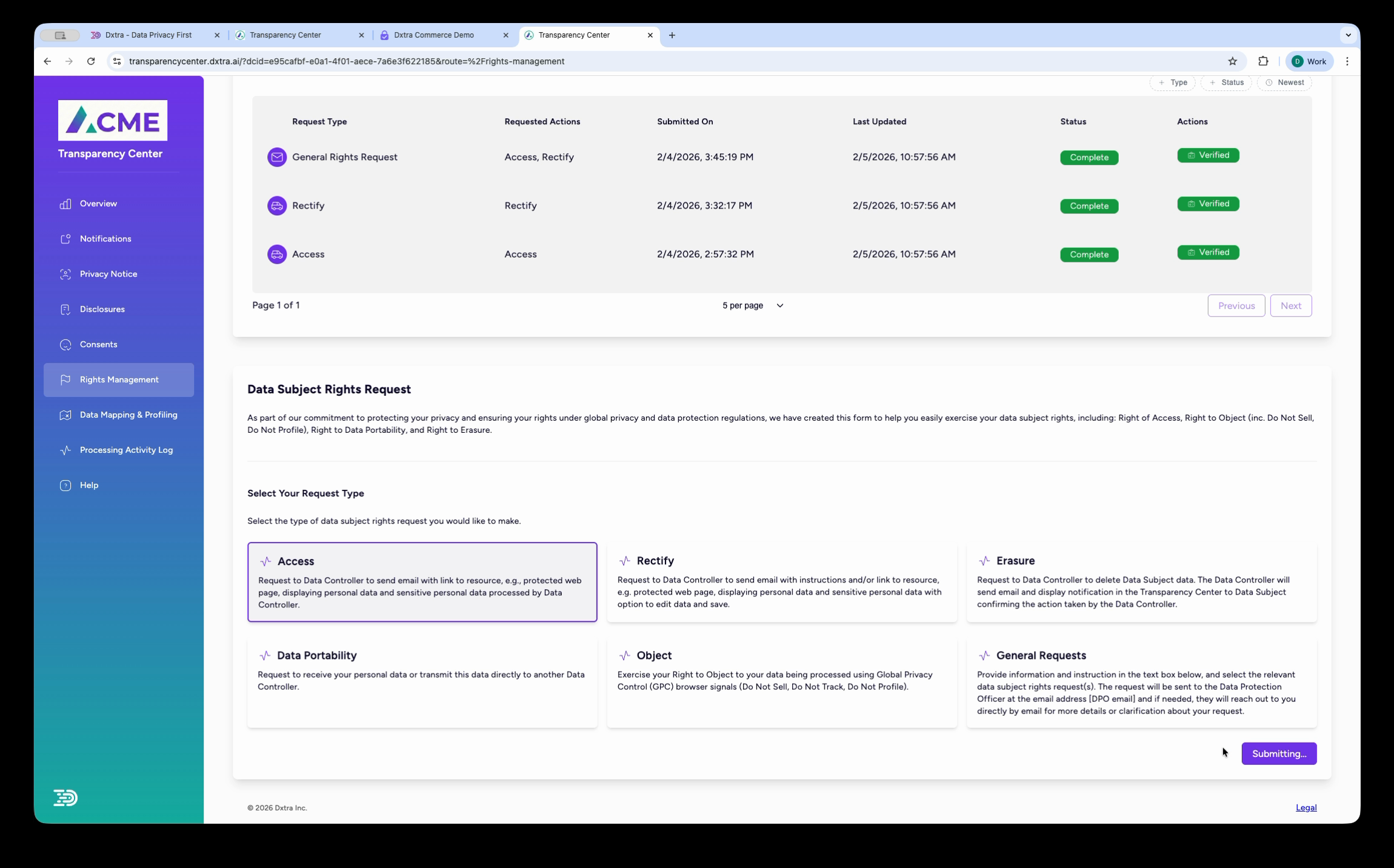
Rights Management — A history table of all rights requests the data subject has submitted (with status badges: Pending, Verified, Complete) and a form to submit new requests. Supported request types include Access, Rectification, Erasure, Restriction, Data Portability, Object, and General Requests.
Data Mapping & Profiling — A visual display of all personal data identifiers Dxtra has detected for the data subject (e.g. Email Address, Billing Address, Geographic Location, Cookie Identifiers, Full Name), with colored icons indicating which data processors handle each identifier.
Processing Activity Log — A paginated, filterable table of every data processing event involving the data subject.
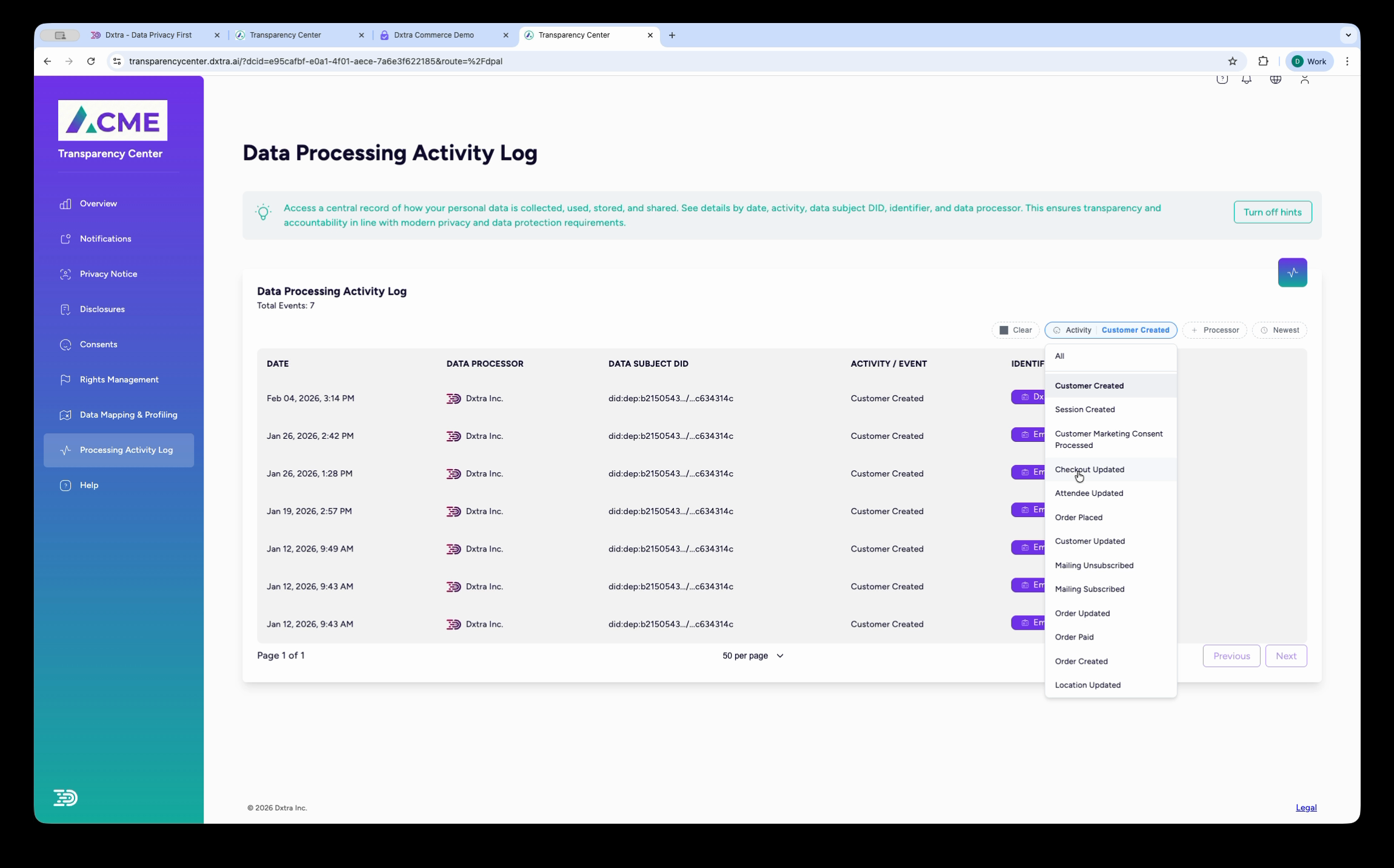
Each row shows the date, data processor, activity type (e.g. Order Created, Session Created, Customer Updated), and the personal data identifiers involved. Data subjects can filter by processor and browse the full history.
Help — A self-service support section with AI-assisted answers to common privacy questions, including the top FAQs (e.g. "What types of personal data do you collect?", "What rights do I have regarding my personal data?").
Deployment options
You can deploy the Transparency Center in three ways:
Hosted URL — Dxtra hosts the Transparency Center at transparencycenter.dxtra.ai with your Data Controller ID. Data subjects access it via a direct link or magic link email. You can configure a custom subdomain (e.g. privacy.yourbusiness.com) that points to the hosted instance.
Embedded web component — Drop the <transparency-center> web component into any HTML page. The component is self-contained, framework-agnostic, and handles styling and interactivity independently. You can also embed individual sections as standalone components: <dx-consents>, <dx-rights-management>, <dx-privacy>, <dx-overview>, and <dx-data-map>.
Hybrid — Run both a hosted page and embedded components. Use the hosted URL as the canonical Transparency Center link in your footer and emails, and embed specific components (like consent management or rights request forms) directly into your application flows.
How it connects to the rest of Dxtra
The Transparency Center is not a standalone product — it pulls live data from your Dxtra workspace:
- Privacy documents generated by the AI engine (notices, policies, cookie notices) appear automatically once you approve them in the dashboard.
- Consent categories and processing purposes configured in the Governance section determine what data subjects see in the Consents and Disclosures sections.
- Data processor integrations (Shopify, Google Analytics, Mailchimp, Eventbrite, and others) feed events into the Processing Activity Log in real time.
- Rights requests submitted through the Transparency Center appear in your admin Rights Management dashboard for review and action, with deadline tracking (GDPR one-month, CCPA 45-day).
- Data mapping reflects the personal data identifiers detected across all connected processors.
- Browser privacy signals (Global Privacy Control, Do Not Track) are detected and displayed to the data subject with their enforcement status.
Branding
The Transparency Center carries your brand identity. In the dashboard under Organization > Branding, you configure:
- Organization Logo — Displayed in the Transparency Center header (recommended: transparent PNG or SVG, horizontal, minimum 300×92px)
- Organization Logomark — Used in email headers and mobile layouts (recommended: transparent PNG or SVG, square, 192×192px)
- Primary Color — Used for navigation menu background, key buttons, and links
- Secondary Color — Used as accent color for buttons, hover states, and highlights
These settings apply to both the hosted Transparency Center and the embedded web components.
Authentication
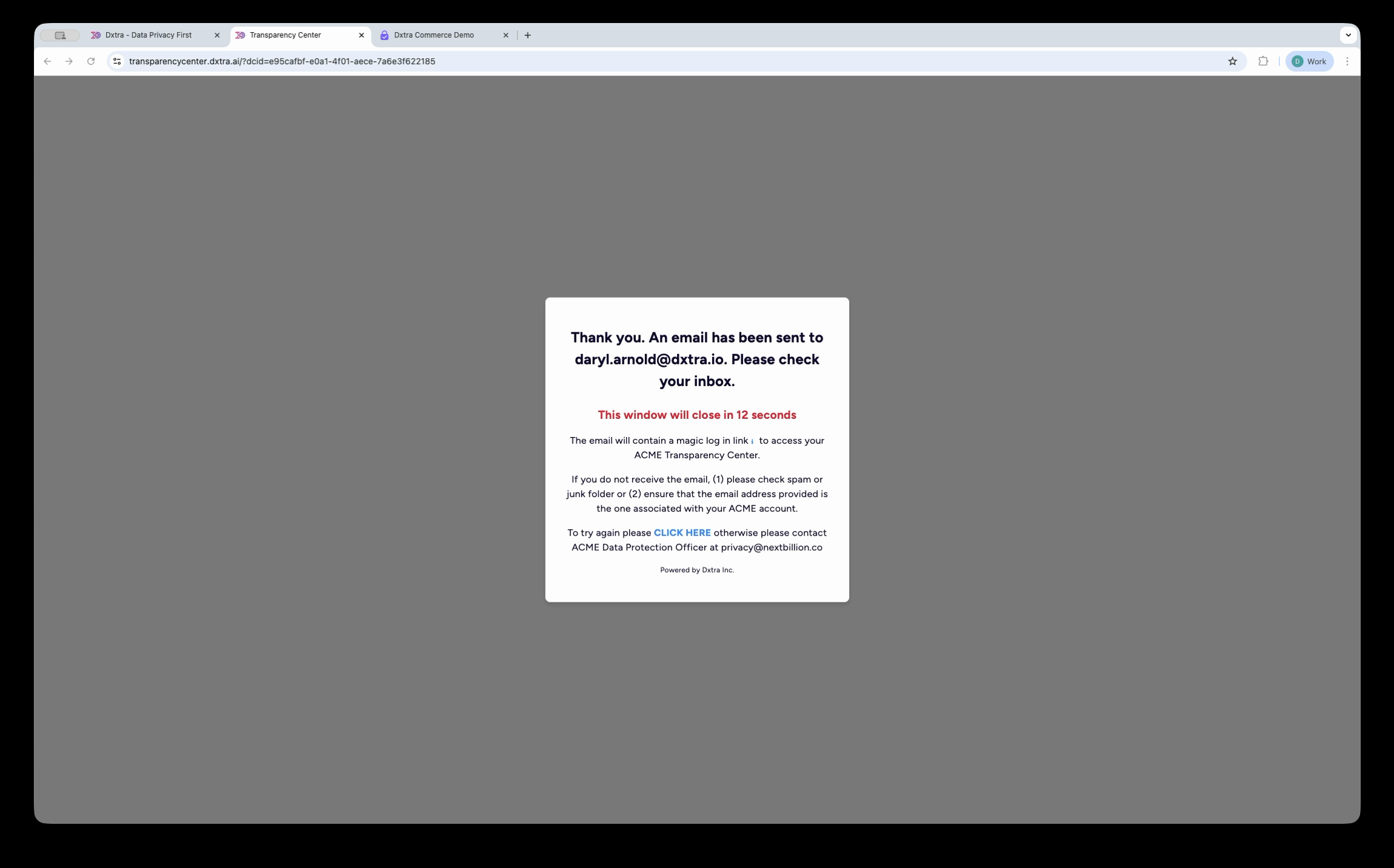
Data subjects access the Transparency Center via a magic link — a secure, passwordless authentication email sent by Dxtra. When a data subject first interacts with your consent form (e.g. on your website's cookie banner), Dxtra assigns them a pseudonymized Data Subject ID (DID). They can then request access to the Transparency Center, which triggers a magic link email. Clicking the link authenticates them and loads their personalized portal.
The magic link email comes from no-reply@dxtra.ai with the subject line "Invitation to Your Transparency Center" and includes a direct login link. No passwords are required.
Multi-language support
The Transparency Center supports the languages configured in your Dxtra plan. All content — including AI-generated privacy notices, consent categories, disclosure descriptions, navigation labels, and help content — is rendered in the data subject's language. The platform supports right-to-left layouts for languages like Arabic and Hebrew.
Dxtra supports 11 languages for dashboard localization and document generation.
Analytics
The Dxtra admin dashboard provides analytics on Transparency Center engagement. You can see visitor traffic broken down by section (Overview, Privacy Notice, Consents, Rights Management, Processing Activity Log, Help) with daily, weekly, monthly, and yearly views. This helps you understand which parts of your transparency information data subjects engage with most.
Data Subject Support metrics show total visits, top FAQs, and engagement breakdown across the Help section, Rights Management, and FAQ activations.
Getting started
- Set up your Transparency Center — Configure branding, connect your processing activities, and publish
- Embed as a web component — Drop the
<transparency-center>component into your application - Customize the appearance — Match your design system with colors, typography, and layout options
Related
- Data subject rights management — Configure which rights data subjects can exercise
- Consent management — Set up consent categories and processing purposes
- Disclosures & privacy notices — Configure multi-layered notices
- Processing activity logs — Understand Article 30 compliance records
- Tag Manager — Deploy consent-aware analytics
Next: Set up your Transparency Center to get started.