Deadline tracking
Every data subject rights request comes with a legally mandated response deadline. Miss it and you risk regulatory penalties, reputational damage, and erosion of data subject trust. Dxtra automatically calculates the applicable deadline when a request is submitted and tracks it through to completion.
How Dxtra calculates deadlines
When a data subject submits a request through the Transparency Center or an embedded form, Dxtra determines the applicable deadline based on:
- The data subject's jurisdiction — Identified from account data, the Data Controller's configured operating regions, and the applicable regulations set during onboarding
- The request type — Different request types may have different deadlines in some jurisdictions
- The date of submission — The deadline clock starts from the calendar day the request is received
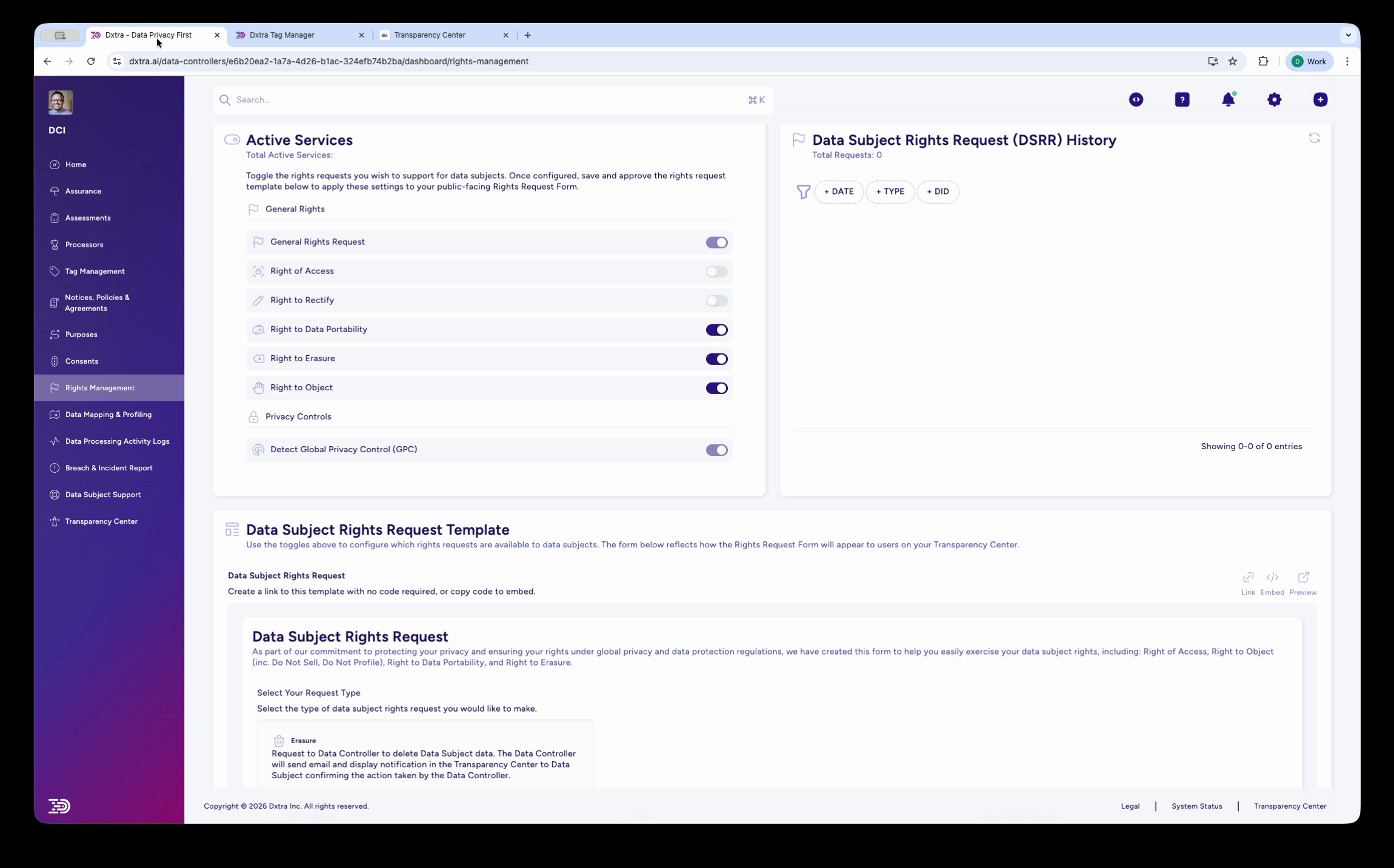
The calculated deadline appears in the DSRR History table in the admin Rights Management dashboard alongside each request.
Deadlines by regulation
GDPR (EU/EEA and UK)
All request types: one calendar month from receipt.
The one-month period runs from the day after the request is received. If the deadline falls on a weekend or public holiday, it extends to the next working day.
Extensions: You may extend the deadline by up to two additional months (total: three months) if the request is complex or you have received a large number of requests from the same data subject. You must notify the data subject within the initial one-month period, explaining why the extension is necessary.
Identity verification: If you need to verify the data subject's identity before acting, the clock does not pause — you must still respond within one month. Request verification promptly.
CCPA/CPRA (California)
All request types: 45 calendar days from receipt of a verified request.
The clock starts from the date you receive the request, but the verification period does not count against the deadline. If the request requires verification, the 45-day period begins once identity is confirmed.
Extensions: One extension of up to 45 additional days is permitted (total: 90 days). You must notify the consumer of the extension within the initial 45-day period with a reason for the delay.
LGPD (Brazil)
All request types: 15 calendar days from receipt.
This is the shortest deadline among major privacy regulations. Plan your processes accordingly — 15 days leaves little room for delay.
Extensions: Up to 15 additional days may be available depending on the complexity of the request, but this is evaluated case by case.
Other frameworks
| Regulation | Jurisdiction | Deadline | Extension |
|---|---|---|---|
| PIPEDA | Canada | 30 days | Case-by-case |
| PDPA | Singapore | 30 days | Case-by-case |
| POPIA | South Africa | 30 days | Case-by-case |
| DPDPA | India | As prescribed | Not yet specified |
| APPI | Japan | Reasonable period | Not specified |
Dxtra covers 500+ privacy obligations across 140+ countries. The platform automatically applies the correct deadline based on your configured operating regions and the data subject's jurisdiction.
Monitoring deadlines in the dashboard
The DSRR History panel in the Rights Management section of the admin dashboard is your primary monitoring tool. Filter requests by:
- Days — View requests from the last 7, 30, 90, or 300 days to focus on active or recent requests
- Type — Filter by request type (Access, Rectify, Erasure, Portability, Object, General)
Each request entry shows its current status and the deadline date. Review this table regularly — at minimum weekly, or daily if you have a high volume of requests.
Tip
Make checking the DSRR History part of your routine. Even with automatic tracking, a human review ensures nothing falls through the cracks — especially for requests that require coordination with external processors.
When you cannot meet a deadline
If you anticipate that you will not be able to respond within the initial deadline:
- Determine whether an extension is permitted under the applicable regulation (see the deadlines table above)
- Notify the data subject before the initial deadline expires — explain why the extension is needed and provide a new expected response date
- Document the reason for the extension — regulators may request evidence that the extension was justified
- Complete the response within the extended deadline — missing the extended deadline compounds the compliance risk
Valid reasons for extension typically include:
- The request is unusually complex (e.g. data spread across many systems or jurisdictions)
- You have received a large number of requests from the same data subject in a short period
- Coordinating with third-party processors requires additional time
- The request requires significant manual data retrieval from systems not connected to Dxtra
Warning
Extensions are the exception, not the rule. Regulators scrutinize extension claims. Do not use extensions routinely — they should be reserved for genuinely complex situations.
Deadline calculation examples
Example 1: GDPR access request Request received: 1 March 2026 Deadline: 31 March 2026 (30 calendar days) If extension needed: notify data subject by 31 March, new deadline up to 30 May 2026
Example 2: CCPA deletion request Request received: 15 April 2026 Identity verified: 20 April 2026 Deadline: 4 June 2026 (45 calendar days from verification) If extension needed: notify consumer by 4 June, new deadline up to 19 July 2026
Example 3: LGPD rectification request Request received: 10 May 2026 Deadline: 25 May 2026 (15 calendar days) Limited extension available — prioritize this request immediately
Best practices
Start processing immediately. Do not wait until the deadline approaches. Begin identity verification and data collection as soon as a request arrives.
Track across all jurisdictions. If a data subject is covered by multiple regulations (e.g. an EU citizen living in California), apply the most protective standard — typically the regulation with the shortest deadline.
Document everything. Record every step of the request lifecycle: when it was received, when identity was verified, when data was collected, when the response was sent. This audit trail protects you if a regulator investigates.
Coordinate with processors early. If fulfilling a request requires action from third-party processors (e.g. deleting data from Stripe or Mailchimp), contact them immediately. Processor response times are outside your control but still count against your deadline.
Review your DSRR History regularly. At minimum, check incoming requests weekly. For organizations processing high volumes of personal data, check daily.
Test your process. Submit test requests through the Transparency Center to verify that the full workflow functions correctly — from submission to notification to response.
Related
- Data subject rights overview — Configure active rights services
- Handle a data subject request — Step-by-step request processing guide
- Processing activity logs — Audit trail for all request actions
- Transparency Center — Where data subjects submit requests
Not legal advice
This documentation provides guidance on using Dxtra's deadline tracking features. AI-generated content does not constitute legal advice. Consult a qualified legal professional for advice specific to your jurisdiction and business context.