Configure processing purposes
Processing purposes define what you do with personal data and why. Each purpose is linked to a consent category, a legal basis, the data processors involved, and the personal data identifiers collected. This guide walks you through configuring purposes in the Dxtra dashboard.
Prerequisites
- An active Dxtra workspace with your privacy program generated
- At least one data processor onboarded (see processor management)
- An understanding of what personal data your business collects and why
Tip
When you complete the onboarding questionnaire and Dxtra generates your privacy program, it also generates an initial set of processing purposes based on your business context and connected integrations. Review these before creating new purposes — many common purposes are pre-configured.
Understanding purposes in Dxtra
A processing purpose in Dxtra captures everything a regulator would want to know about a specific data processing activity:
- What data is processed (personal data identifiers like email address, billing address, cookie identifiers)
- Why it is processed (the stated purpose — e.g. advertising personalization, service fulfillment)
- Who processes it (the data processor — e.g. Google Ads, Shopify, Mailchimp)
- On what basis (the legal basis — e.g. consent, legitimate interest)
- Under which regulations (GDPR, CCPA, PDPA, and others applicable to your operating regions)
- With what consent requirement (opt-in consent, opt-out, or no consent needed)
Purposes are grouped by category. For example, ACME Inc. in the demonstration groups purposes under "Digital Advertising and Marketing Platforms" with individual purposes like Advertising Personalisation, Advertising Storage, Analytics Storage, Automated Decision Making, Behavioural Data Processing, and Cross-Border Data Transfers.
Viewing your purposes
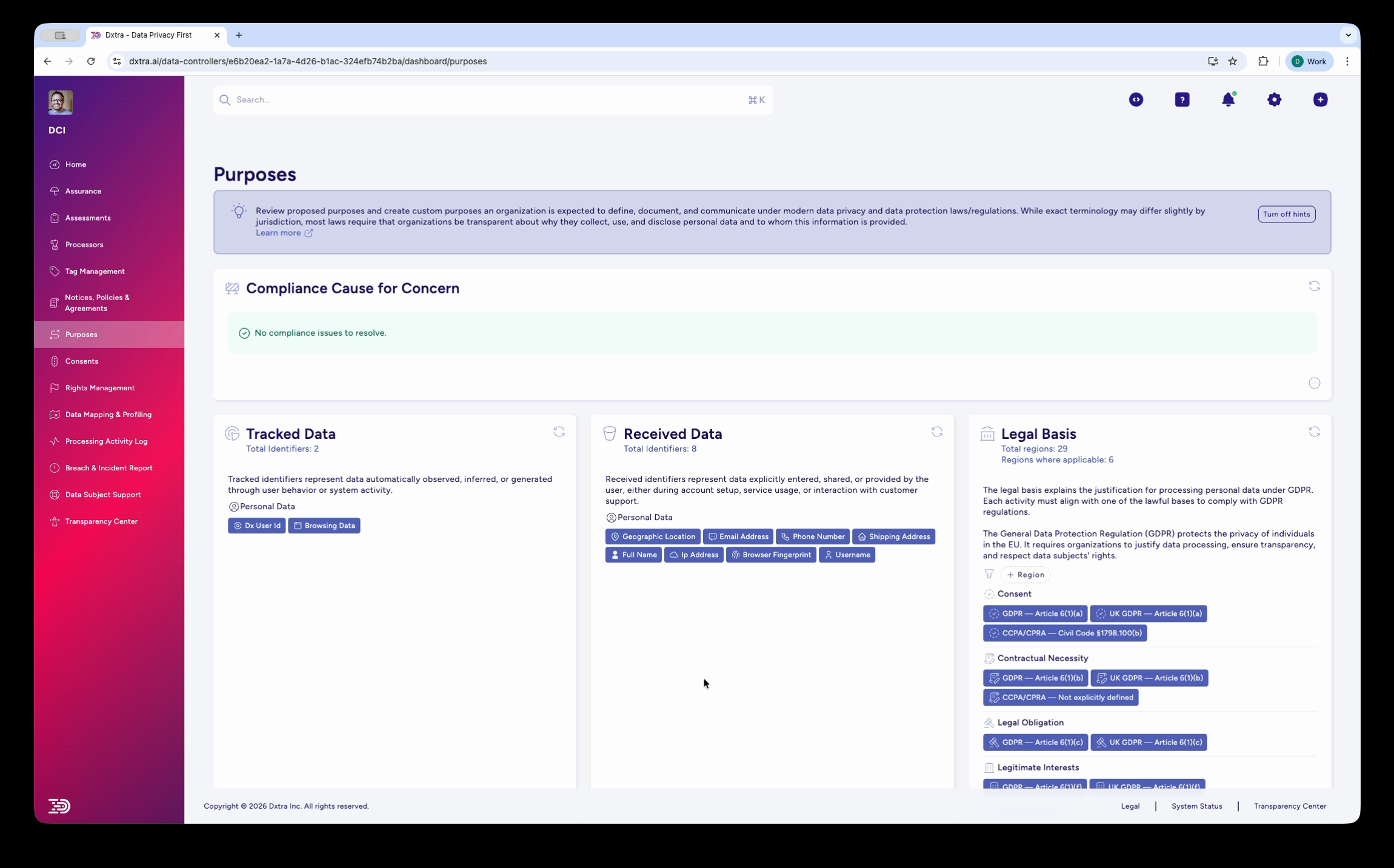
Go to Purposes in the left sidebar of the Dxtra dashboard. The page displays:
- Legal basis badges at the top for each applicable regulation (GDPR, Article 6, CCPA, and others), with links to the relevant legal basis (Legitimate Interests, Consent, Vital Interests, Legal Obligation, Public Interest)
- A description of your organization's data processing context (generated from your onboarding questionnaire)
- Purpose categories with expandable sections
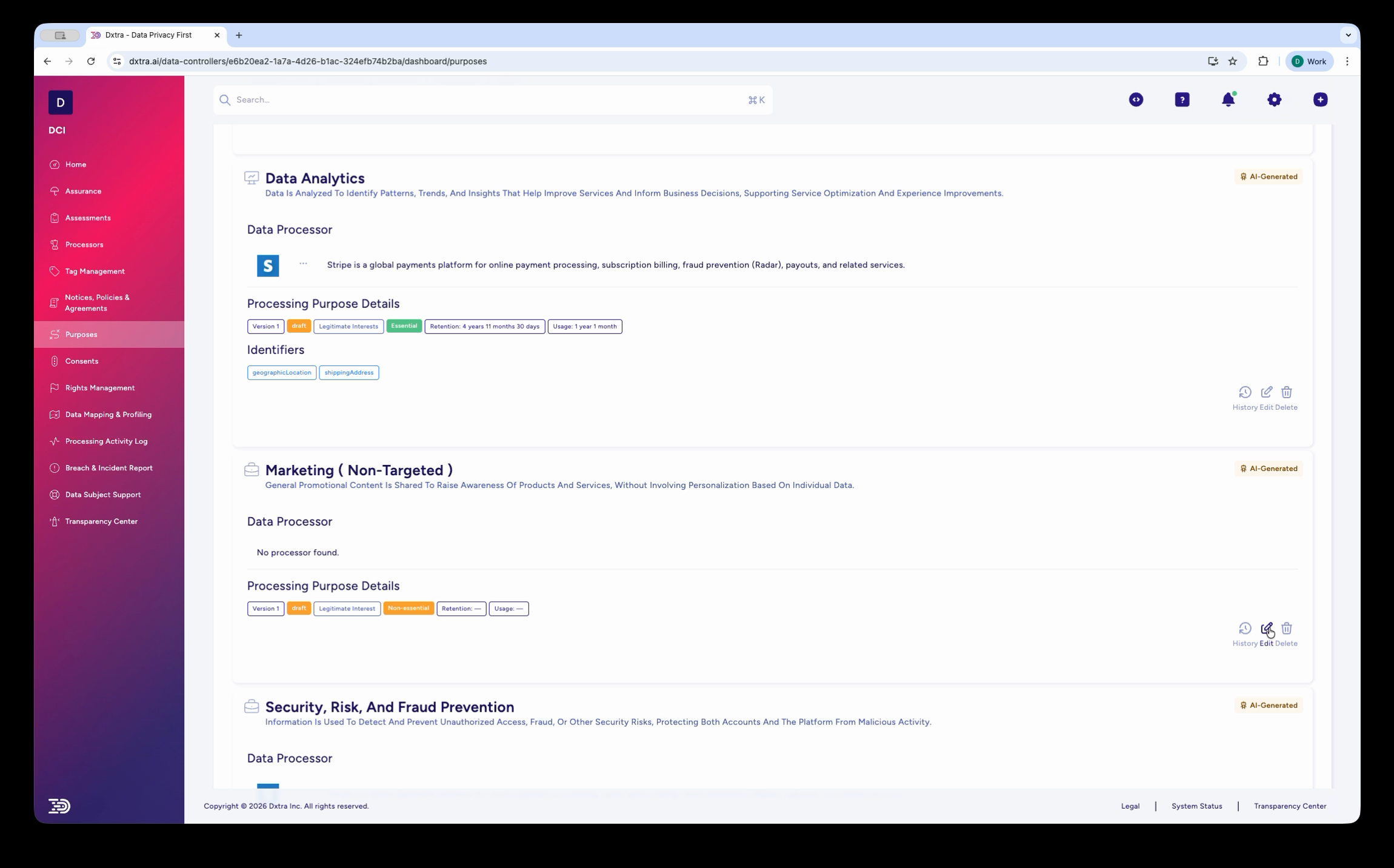
Click on a category to expand it and see individual purposes. Each purpose card shows:
- The purpose name and any regulatory tags (e.g. Google Consent Mode v2)
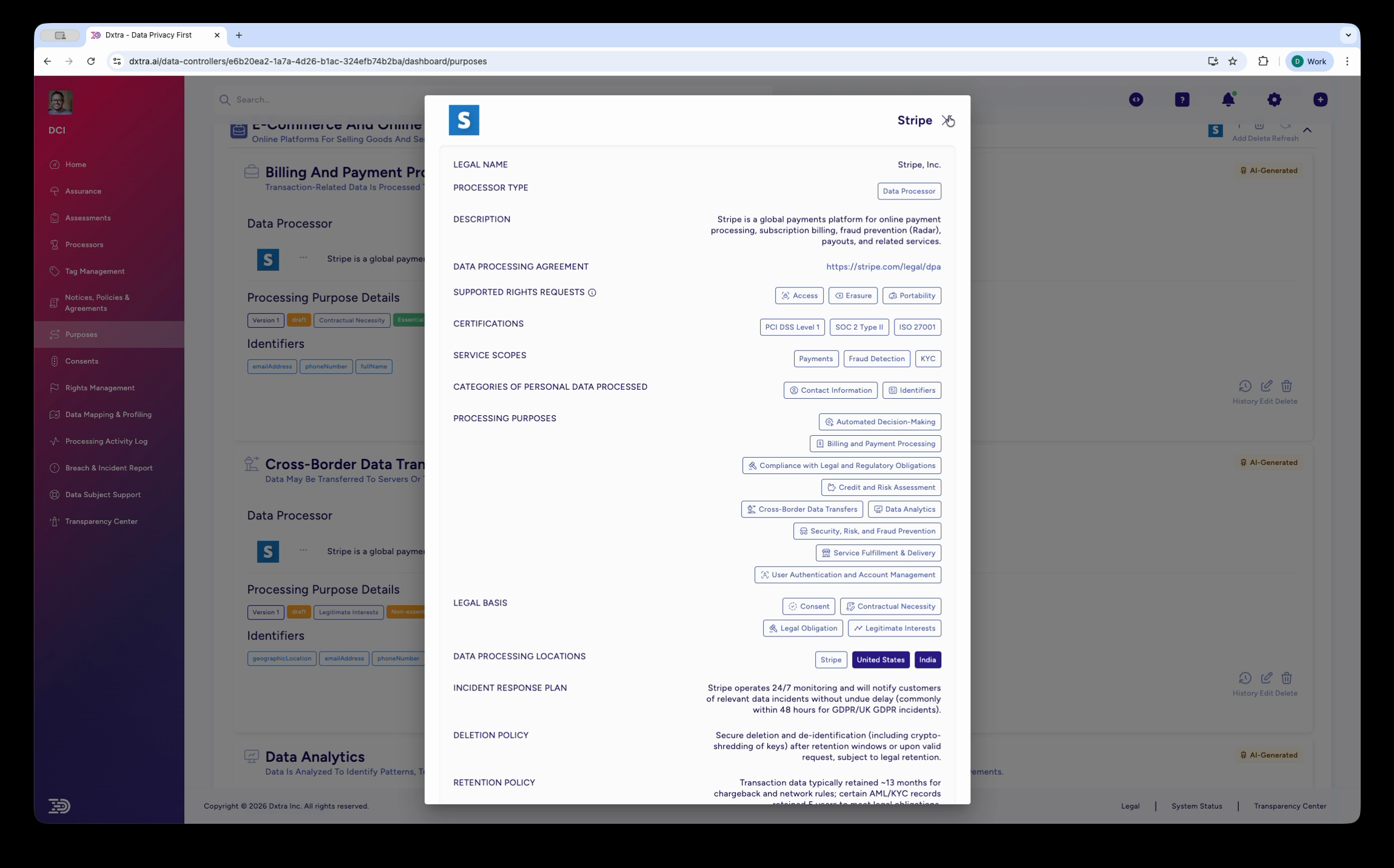
- The data processor responsible (e.g. Google Ads, with a description of the processor)
- Processing purpose details including applicable regulations, legal basis, and consent requirements
Creating a new purpose
- Navigate to Purposes in the dashboard
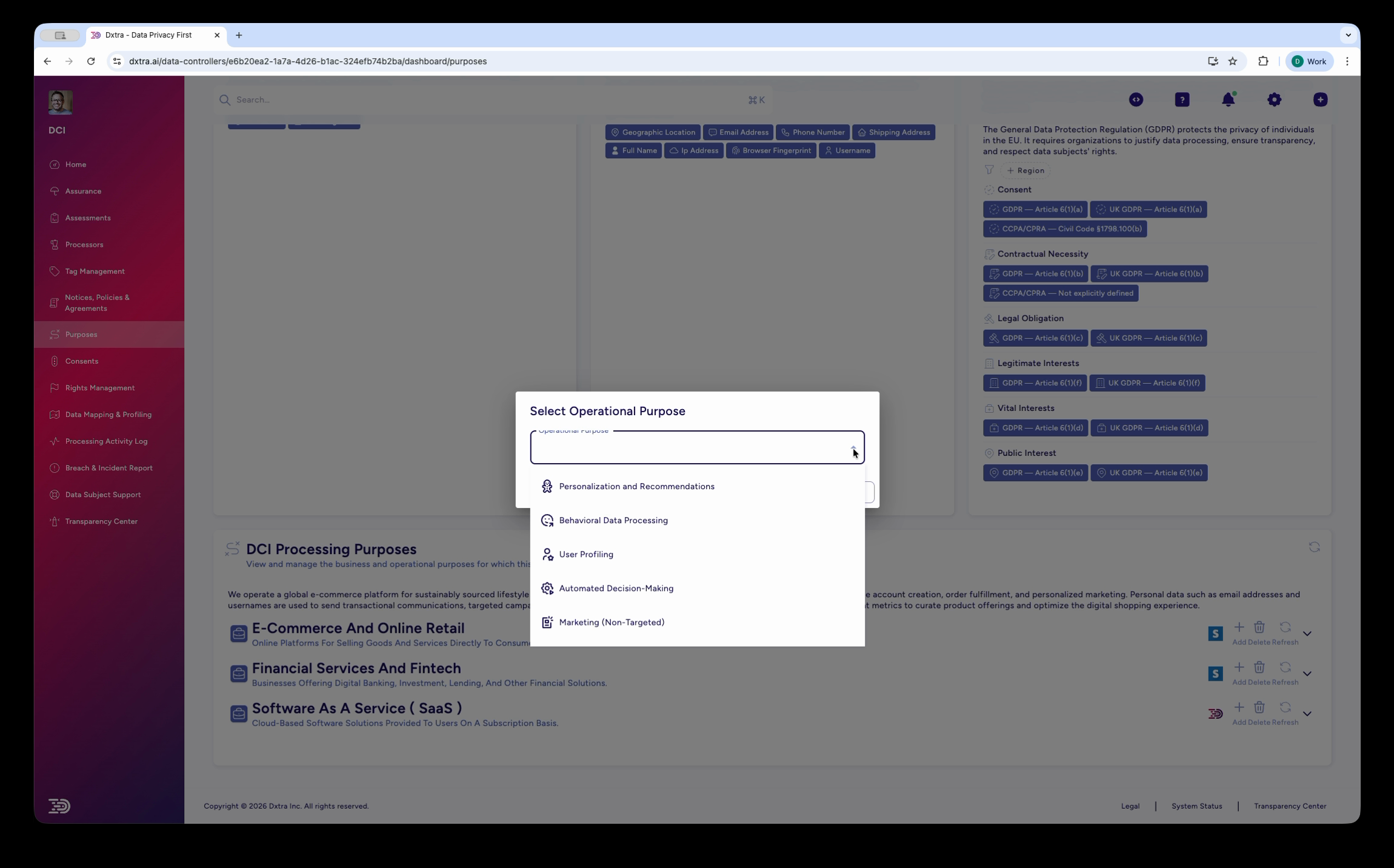
- Click Add Purpose (or expand the relevant category and click Add)
- Select an operational purpose from the pre-defined list (e.g. Personalisation and Recommendations, Advanced Retail Processing, User Profiling, Automated Decision Making, Marketing/Non-Targeted) or create a custom one
- Complete the purpose configuration form
Purpose name and description
Choose a clear, specific name that describes the processing activity. Good names are self-explanatory to a data subject reading them in a consent form or the Transparency Center.
Good examples: "Advertising Personalisation", "Service Fulfilment & Delivery", "User Authentication and Account Management", "Cross-Border Data Transfers"
Avoid vague names like "Data Processing" or "Business Operations" — regulators and data subjects need to understand what you're actually doing.
Add a plain-language description explaining what this purpose involves and why it matters to the data subject.
Consent category
Assign the purpose to one of the standard consent categories or a custom category:
| Category | When to use |
|---|---|
| Strictly Necessary | Authentication, security, essential functionality |
| Performance / Analytics | Website analytics, A/B testing, performance monitoring |
| Functional | Language preferences, personalization, saved settings |
| Targeting / Marketing | Advertising, retargeting, cross-site tracking, marketing emails |
| Custom | Social media tracking, research, any business-specific purpose |
Each purpose maps to exactly one consent category. If a processing activity spans multiple categories, create separate purposes for each.
Legal basis
Select the legal basis for this purpose. See legal basis management for detailed guidance.
| Legal basis | When to use |
|---|---|
| Consent (Art. 6(1)(a)) | Data subject has given clear, affirmative consent |
| Contract (Art. 6(1)(b)) | Processing is necessary to fulfill a contract with the data subject |
| Legal Obligation (Art. 6(1)©) | Processing is required to comply with a law |
| Vital Interests (Art. 6(1)(d)) | Processing is necessary to protect someone's life |
| Public Task (Art. 6(1)(e)) | Processing is necessary for a task carried out in the public interest |
| Legitimate Interests (Art. 6(1)(f)) | Processing is necessary for your legitimate interests, balanced against the data subject's rights |
Warning
If you select Legitimate Interests, you should conduct and document a Legitimate Interest Assessment (LIA). Dxtra's AI engine can generate this as part of your assessment suite — see assessments.
Data processors
Link the purpose to the data processors that handle data for this purpose. Select from your onboarded processors (e.g. Google Ads, Shopify, Mailchimp, Eventbrite). Each linked processor is displayed as a badge in consent forms and the Transparency Center, giving data subjects visibility into who handles their data for this purpose.
Personal data identifiers
Specify which types of personal data are processed for this purpose. Common identifiers include: Email Address, Full Name, Billing Address, Home Address, Geographic Location, Cookie Identifiers, Browser Fingerprint, IP Address, Device ID, Language Preference, and Do User ID.
These identifiers are displayed as colored badges in consent forms, giving data subjects a clear picture of what data is involved.
Consent requirement
Configure how consent is collected for this purpose:
Opt-in — Data subject must actively consent before processing begins. Required for Targeting/Marketing purposes in most jurisdictions. The consent form presents an opt-in toggle that defaults to off.
Opt-out — Processing begins by default, but the data subject can opt out at any time. Appropriate for some Performance/Analytics purposes where you rely on legitimate interest. The preference center presents an opt-out toggle.
No consent required — For Strictly Necessary purposes where no consent mechanism is needed. The toggle is always on and cannot be changed.
Editing an existing purpose
- Navigate to Purposes in the dashboard
- Expand the relevant category
- Click on the purpose you want to edit
- Make your changes
- Click Save
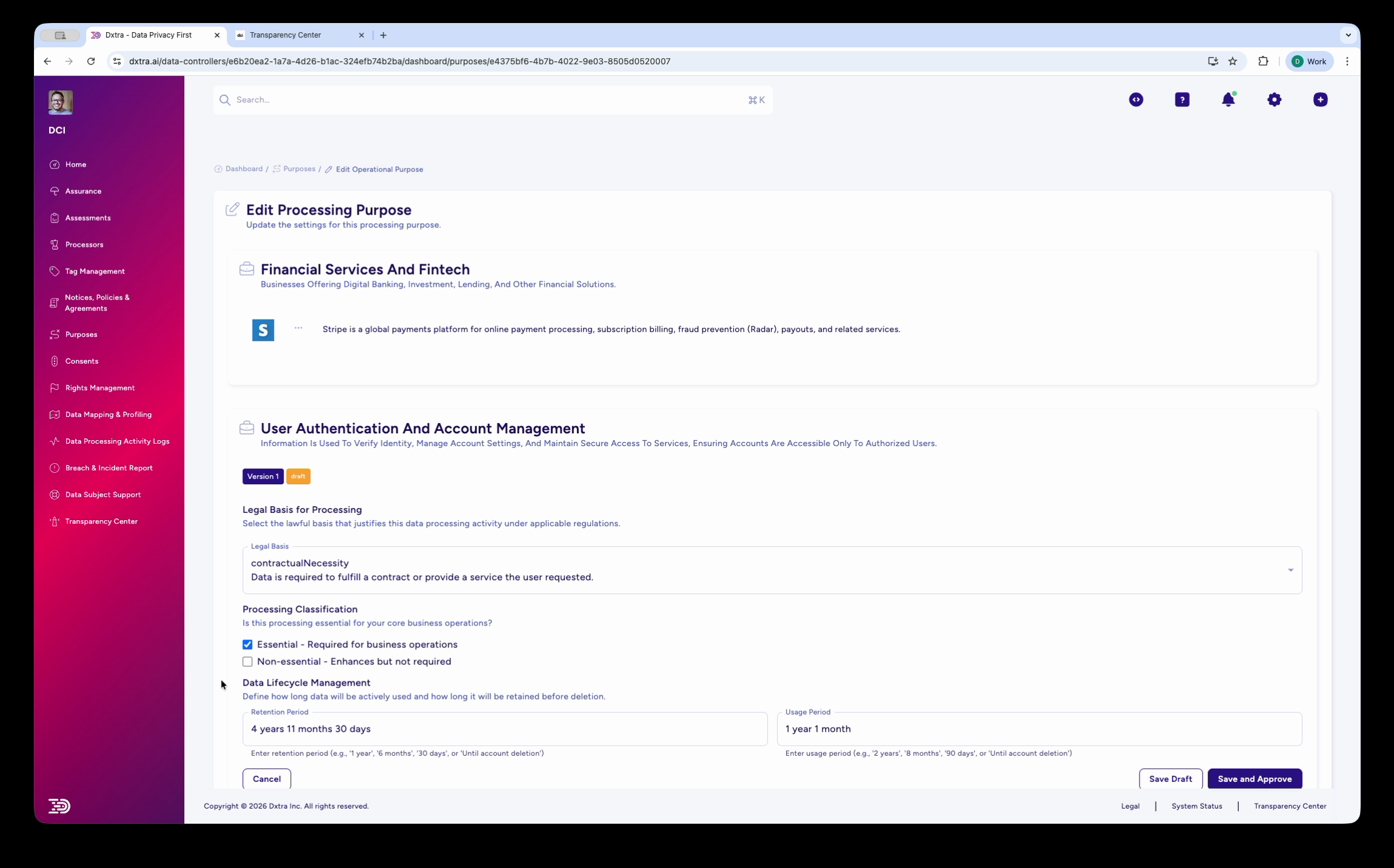
Changes to purposes are reflected in consent forms and the Transparency Center after saving. If you change the legal basis or consent requirement, consider whether you need to re-collect consent from data subjects who consented under the previous terms.
Important
Changing a purpose's consent category or legal basis may require notifying affected data subjects. Document any changes and the reasoning behind them for your audit trail.
How purposes connect to consent forms
When you build a consent form in the Consent Form Editor, Dxtra automatically pulls in the configured purposes:
- The consent text references the processing purposes
- Data processor badges are generated from the processors linked to each purpose
- Personal data identifier badges are generated from the identifiers configured for each purpose
- The Manage Preferences modal shows toggles for each consent category, with purposes grouped under their category
This means you configure purposes once, and they flow automatically into cookie banners, event consent forms, the Transparency Center, and privacy notices.
How purposes connect to the Tag Manager
The Dxtra Tag Manager enforces consent at the purpose level. When a data subject opts out of a consent category (e.g. Analytics), the Tag Manager blocks all tags associated with purposes in that category. When they opt in, the tags fire. See Tag Manager: consent enforcement for details.
How purposes appear in the Transparency Center
In the Transparency Center, data subjects see:
- Their consent status for each purpose (Opted In / Opted Out) with toggle controls
- Their preference status for each category (Analytics Cookies, Targeting Cookies, etc.) with Opt Out toggles
- Disclosure details for each purpose, explaining what data is processed and why
Changes made by the data subject in the Transparency Center are immediately reflected across all consent enforcement mechanisms.
Common purpose examples
Here are typical processing purposes based on the ACME Inc. demonstration:
| Purpose | Category | Legal Basis | Processor |
|---|---|---|---|
| Advertising Personalisation | Targeting / Marketing | Consent | Google Ads |
| Advertising Storage | Targeting / Marketing | Consent | Google Ads |
| Analytics Storage | Performance / Analytics | Consent | Google Analytics |
| Automated Decision Making | Targeting / Marketing | Consent | Google Ads |
| Behavioural Data Processing | Targeting / Marketing | Consent | Google Ads |
| Cross-Border Data Transfers | Targeting / Marketing | Consent | Multiple |
| Service Fulfilment & Delivery | Strictly Necessary | Contract | Shopify |
| User Authentication and Account Management | Strictly Necessary | Contract | Dxtra |
| Marketing (Non-Targeted) | Functional | Legitimate Interest | Mailchimp |
| User Profiling | Targeting / Marketing | Consent | Google Ads |
| Data Analytics | Performance / Analytics | Legitimate Interest | Google Analytics |
| Targeted Marketing | Targeting / Marketing | Consent | Mailchimp |
| Data Sharing with Third Parties | Targeting / Marketing | Consent | Multiple |
| User Feedback and Surveys | Functional | Consent | SurveyMonkey |
Related
- Purpose & consent management overview — How consent works in Dxtra
- Legal basis management — Documenting the legal basis for each purpose
- Tag Manager: consent enforcement — How tags respect consent categories
- Processor management — Onboarding and managing data processors
Next: Manage legal basis to document the legal basis for each processing purpose.