Breach & incident management
Dxtra provides a structured workflow for reporting and managing data breaches and information security incidents. The Breach & Incident Report page guides you through a 5-step process — from documenting incident details through to regulatory notification and final submission — ensuring you meet notification deadlines and maintain a complete audit trail.
The Breach Reports page
Navigate to Breach & Incident Report in the left sidebar. The page has two sections:
Breach Reports list — A table of all breach reports, with columns for Reference number, Incident Type, Status, Risk Level, number of Affected individuals, Created date, and Actions (edit, view). Filter reports by status: New, Review, or Final.
Report a Data Breach or Information Security Incident — The multi-step form for creating a new breach report, displayed below the list.
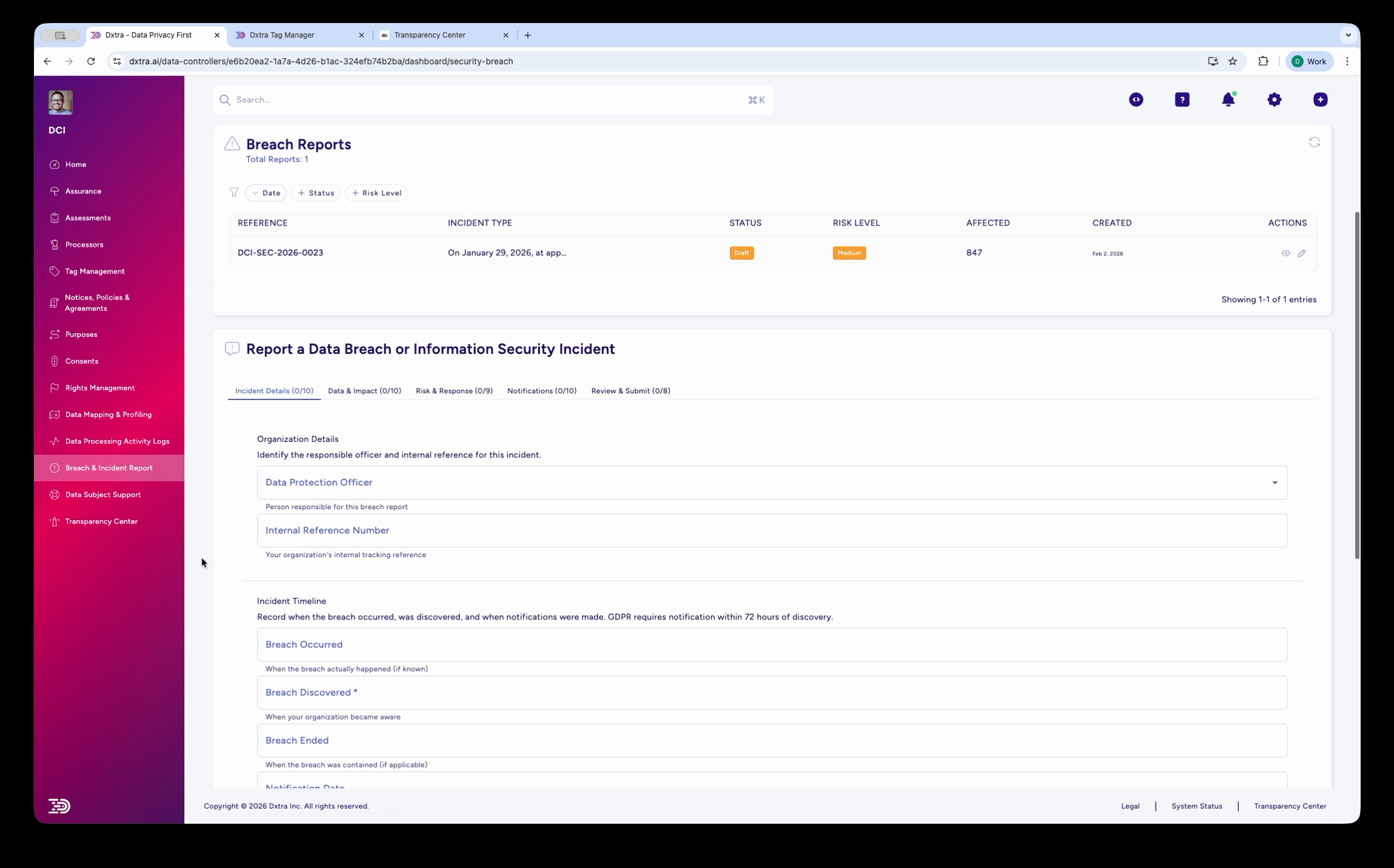
The 5-step reporting workflow
Each breach report follows a structured 5-step wizard:
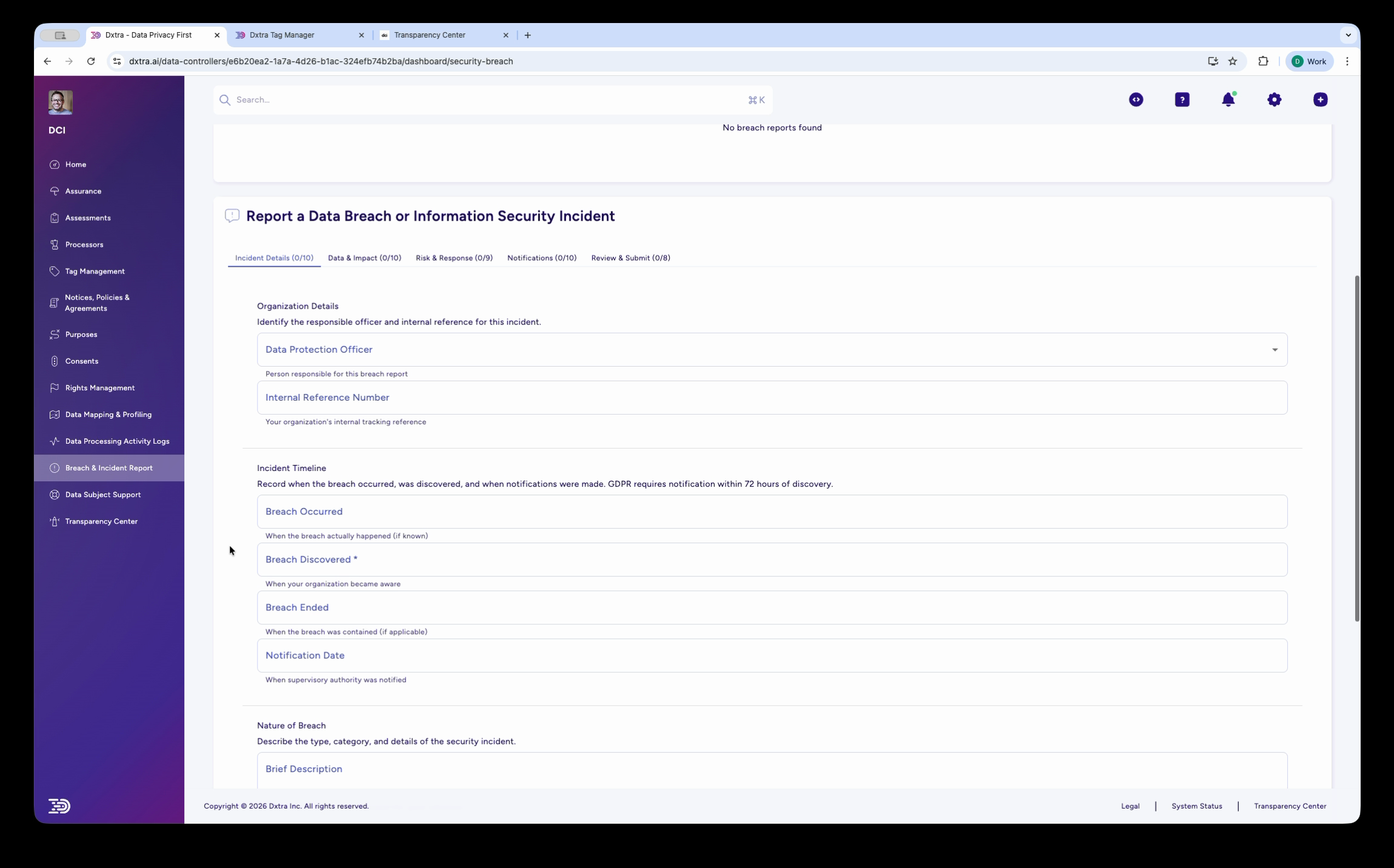
Step 1: Incident Details
Document the basic facts of the breach:
- Data Protection Officer — Select the responsible officer for this incident
- Internal Reference Number — Your organization's internal tracking reference
- Incident Timeline — Four key dates:
- Breach Occurred — When the breach actually happened
- Breach Discovered — When your organization became aware (GDPR requires notification within 72 hours of discovery)
- Breach Ended — When the breach was contained, if applicable
- Notification Date — When the supervisory authority was notified
- Nature of Breach — Brief description plus a detailed incident report
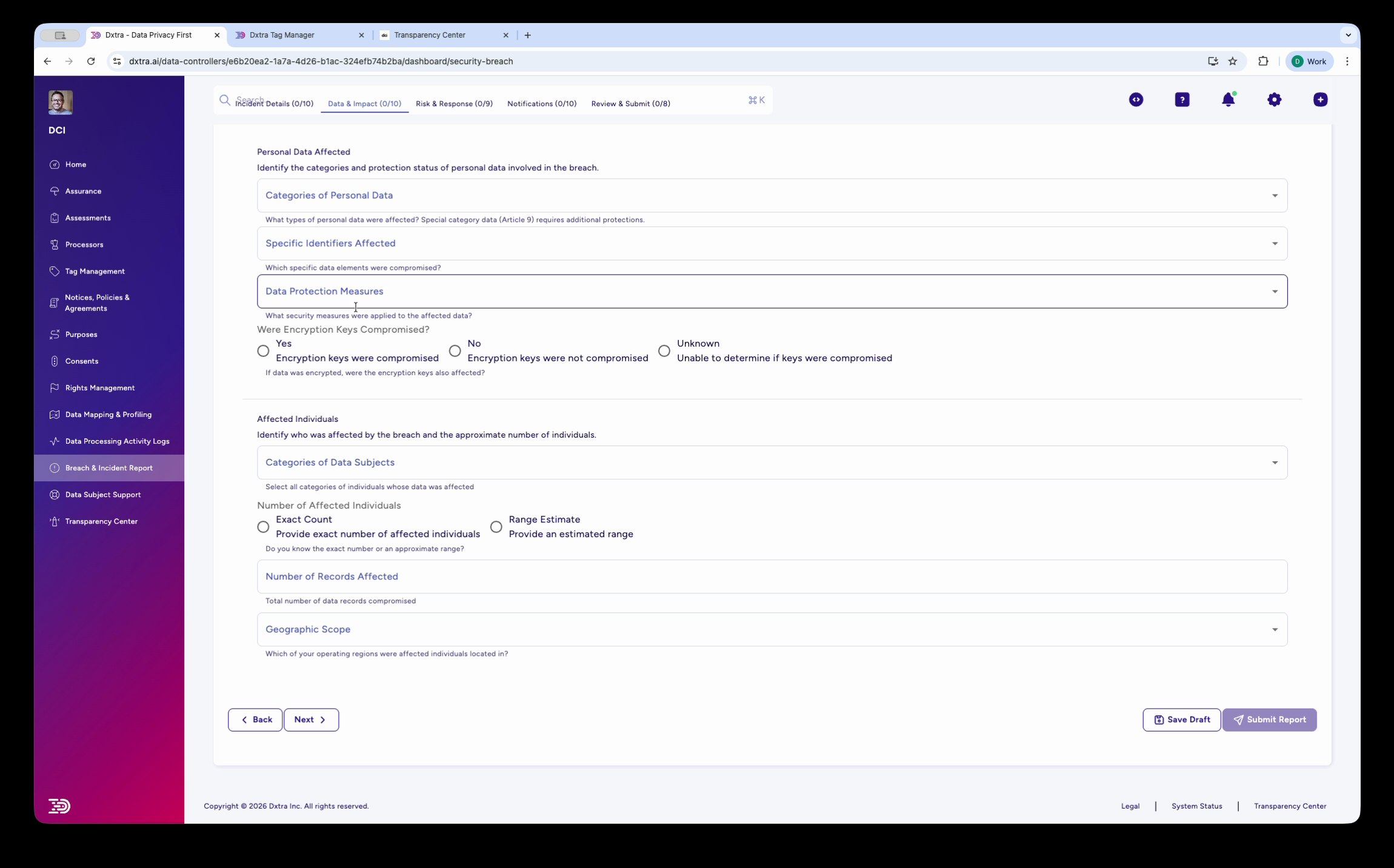
Step 2: Data & Impact
Assess what data was affected and who was impacted:
- Categories of Personal Data — Select the types of data involved (names, financial data, health records, etc.)
- Specific Identifiers Affected — Which specific PII types were compromised
- Data Protection Measures — What protections were in place at the time
- Encryption Keys Compromised — Yes, No, or Unknown
- Affected Individuals — Categories of data subjects, number affected (exact count or range estimate), number of records, and geographic scope (select affected countries/regions)
Step 3: Risk & Response
Document your risk assessment and response actions:
- Detailed Risk Assessment — Your risk analysis methodology and findings
- Measures Taken — Select the containment measures applied
- Immediate Containment Actions — Actions taken in the first hours after discovery
- Ongoing Mitigation Measures — Continuing efforts to address the breach
- Long-term Improvements — Preventive measures for the future
- Evidence Preservation — How evidence is being protected for potential legal proceedings
Step 4: Notifications
Track regulatory and individual notifications:
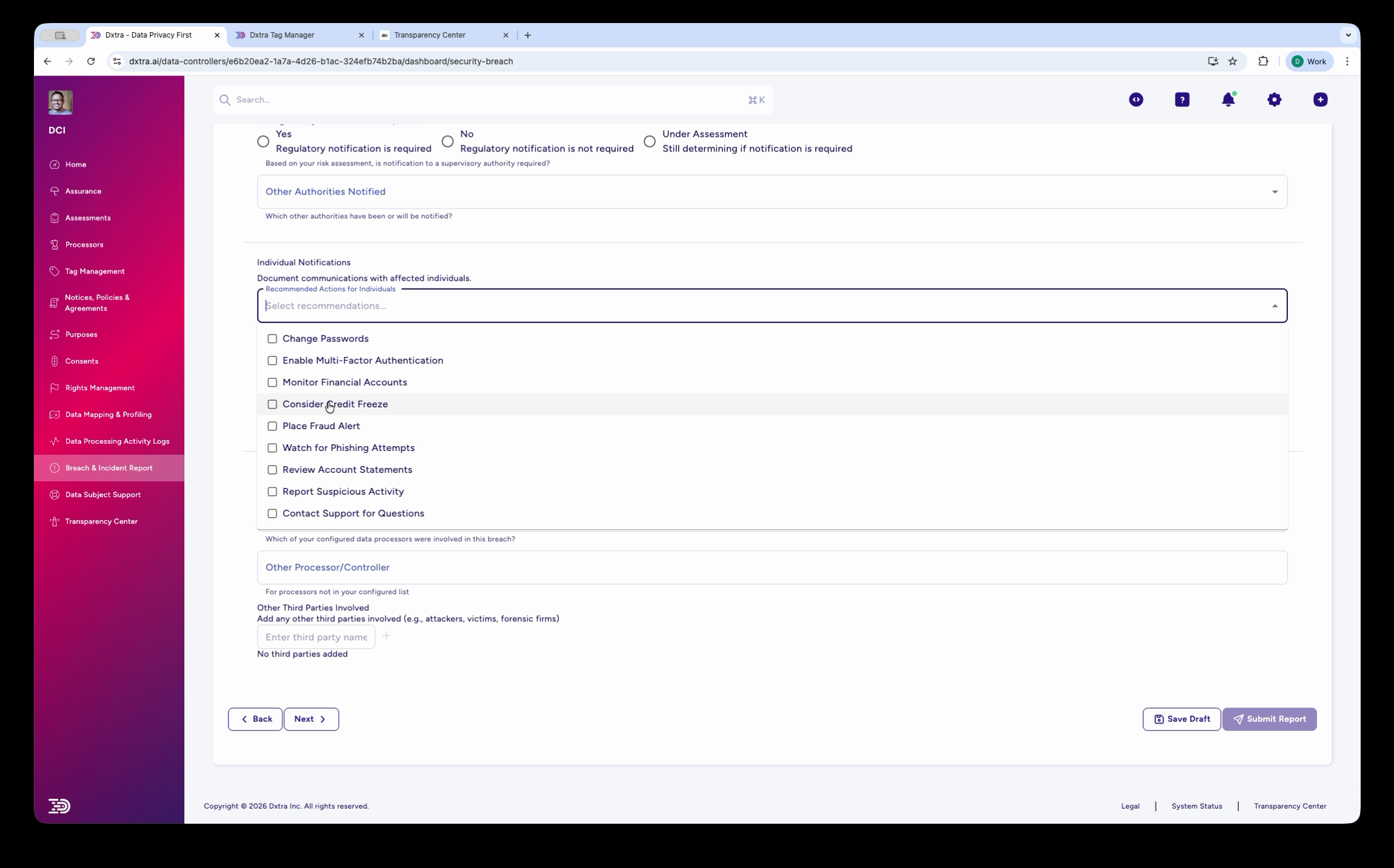
- Regulatory Notification — Whether notification is required (Yes / No / Under Assessment)
- Other Authorities Notified — Additional supervisory authorities or bodies
- Individual Notifications — A checklist of recommended actions for affected individuals:
- Change Passwords
- Enable Multi-Factor Authentication
- Monitor Financial Accounts
- Consider Credit Freezes
- Place Fraud Alert
- Watch for Phishing Attempts
- Review Account Statements
- Report Suspicious Activity
- Contact Support for Questions
- Other Processors/Controllers — Third parties involved in or notified about the breach
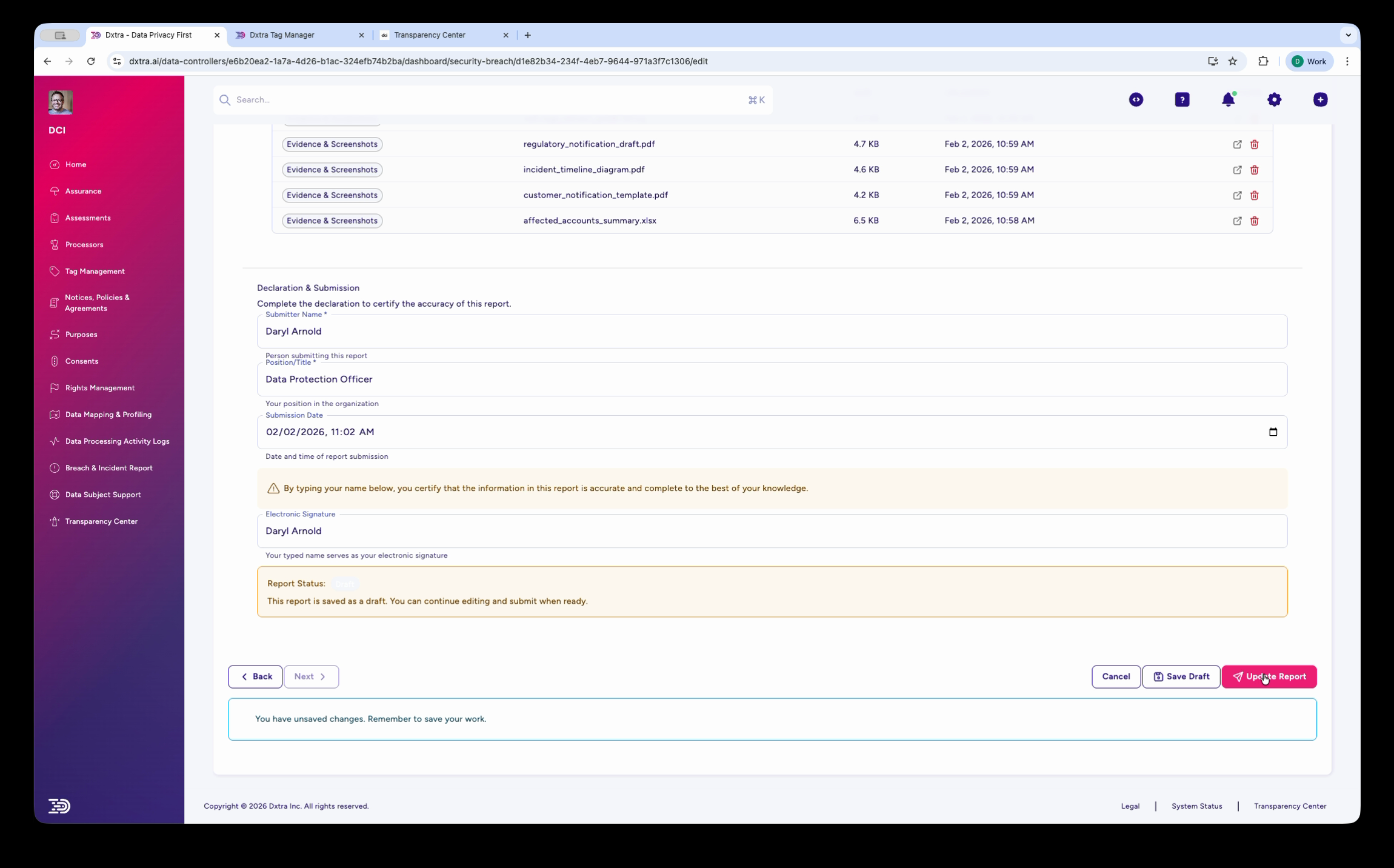
Step 5: Review & Submit
Finalize and submit the report:
- Evidence & Documentation — Attach supporting files (audit logs, notification drafts, incident diagrams, affected account summaries). The table shows each file's category, name, size, and upload date.
- Declaration & Submission — The submitter's name, role, position, and submission date/time. A certification checkbox confirms the information is accurate.
- Electronic Signature — Type your name as your electronic signature.
- Report Status — Shows whether the report is in Draft or submitted. You can save as draft and return later.
- Buttons — Cancel, Save Draft, or Submit Report
Notification deadlines
Dxtra tracks breach notification deadlines by regulation:
| Regulation | Authority notification | Individual notification |
|---|---|---|
| GDPR (EU/EEA) | 72 hours from discovery | Without undue delay if high risk |
| UK GDPR | 72 hours from discovery | Without undue delay if high risk |
| CCPA/CPRA (California) | Expedient, no specific hour limit | Without unreasonable delay |
| LGPD (Brazil) | Reasonable timeframe | When risk to data subjects |
| PIPEDA (Canada) | As soon as feasible | As soon as feasible if real risk |
| POPIA (South Africa) | As soon as reasonably possible | As soon as reasonably possible |
The incident timeline fields in Step 1 (Breach Discovered, Notification Date) help you track whether you met these deadlines.
Related
- Report a data breach — Step-by-step guide to filing a breach report
- Breach response plan — Develop and maintain your incident response plan
- Assessments — Impact assessments that may be triggered by a breach
- Data subject rights management — Managing requests that may follow a breach
Not legal advice
AI-generated content does not constitute legal advice. Consult a qualified legal professional for advice specific to your jurisdiction and business context.