Plan your implementation
This guide helps you plan a structured rollout of Dxtra based on your role, compliance priorities, and timeline. Whether you are a business owner getting started solo or a team rolling out privacy compliance across an organization, the steps below give you a clear path from sign-up to a fully operational privacy program.
Implementation phases
A typical Dxtra implementation follows four phases. The first two happen on day one; the remaining phases unfold over your first week.
Phase 1: Account setup (Day 1, ~15 minutes)
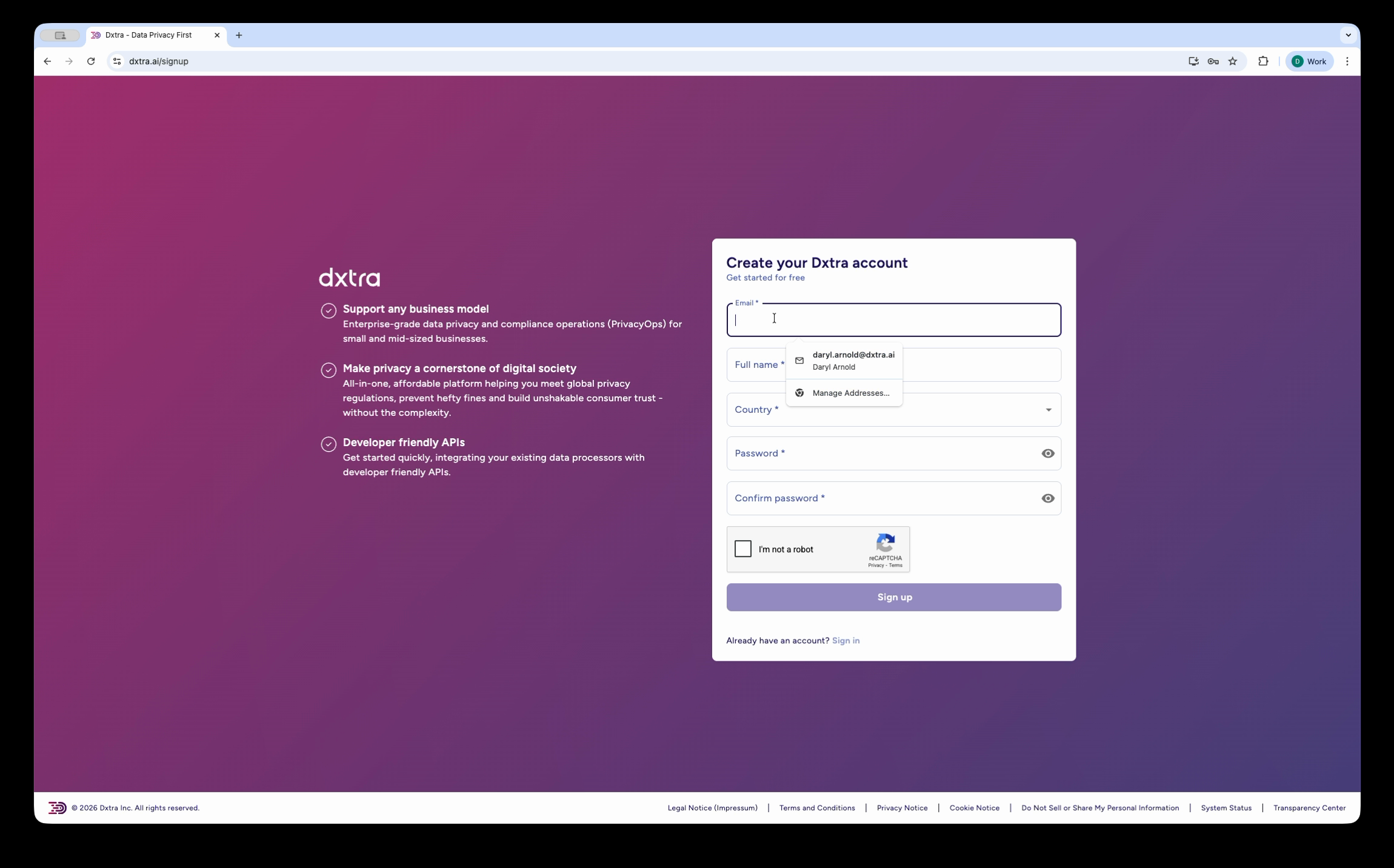
Create your account and complete the Data Controller profile questionnaire. This gives Dxtra's AI engine the context it needs to generate your privacy program.
| Step | What you do | What Dxtra does |
|---|---|---|
| Sign up | Create your account at app.dxtra.ai with email/password, Google OAuth, or passkey | Sends verification email, creates your workspace |
| Organization profile | Select organization type, operating regions, industries, and provide company details | Maps your selections to applicable privacy regulations across 140+ countries |
| Representatives | Add your Data Protection Officer and key contacts | Associates roles with your Data Controller record |
| Subscription | Choose a plan (Start, Growth, Scale, or Enterprise) and complete payment | Activates your account and begins AI generation |
Prepare before you start
Have the following ready before beginning setup: your organization's legal name and address, the regions where you operate or have customers, your industry categories, and the name and contact details of your Data Protection Officer (if applicable).
Phase 2: AI generation (Day 1, ~60 minutes)
After you complete the questionnaire, Dxtra's AI engine generates your complete privacy program. You receive an email and in-app notification when generation is complete.
What gets generated:
- Privacy notices (full, overview, and quick-look formats)
- Cookie and tracking policies
- Data Protection Impact Assessments (DPIAs)
- Data processing agreements
- Retention policies
- Breach response plans
- Consent templates and forms
- Transparency Center content
- Processing purpose descriptions with legal basis mapping
Generation time
AI generation typically takes 30–60 minutes depending on the complexity of your operating regions and industry mix. You can close your browser and return later — Dxtra notifies you by email when your program is ready.
Phase 3: Review and configuration (Days 1–3)
This is the most important phase. Review the AI-generated documents, configure your operational settings, and prepare for publication.
Priority order for review:
- Privacy notices — review the full, overview, and quick-look privacy notices for accuracy. Approve or edit each one.
- Assessments — review your DPIAs, Transfer Impact Assessments, and Legitimate Interest Assessments.
- Processing purposes — verify that each purpose has the correct legal basis, data categories, and retention periods.
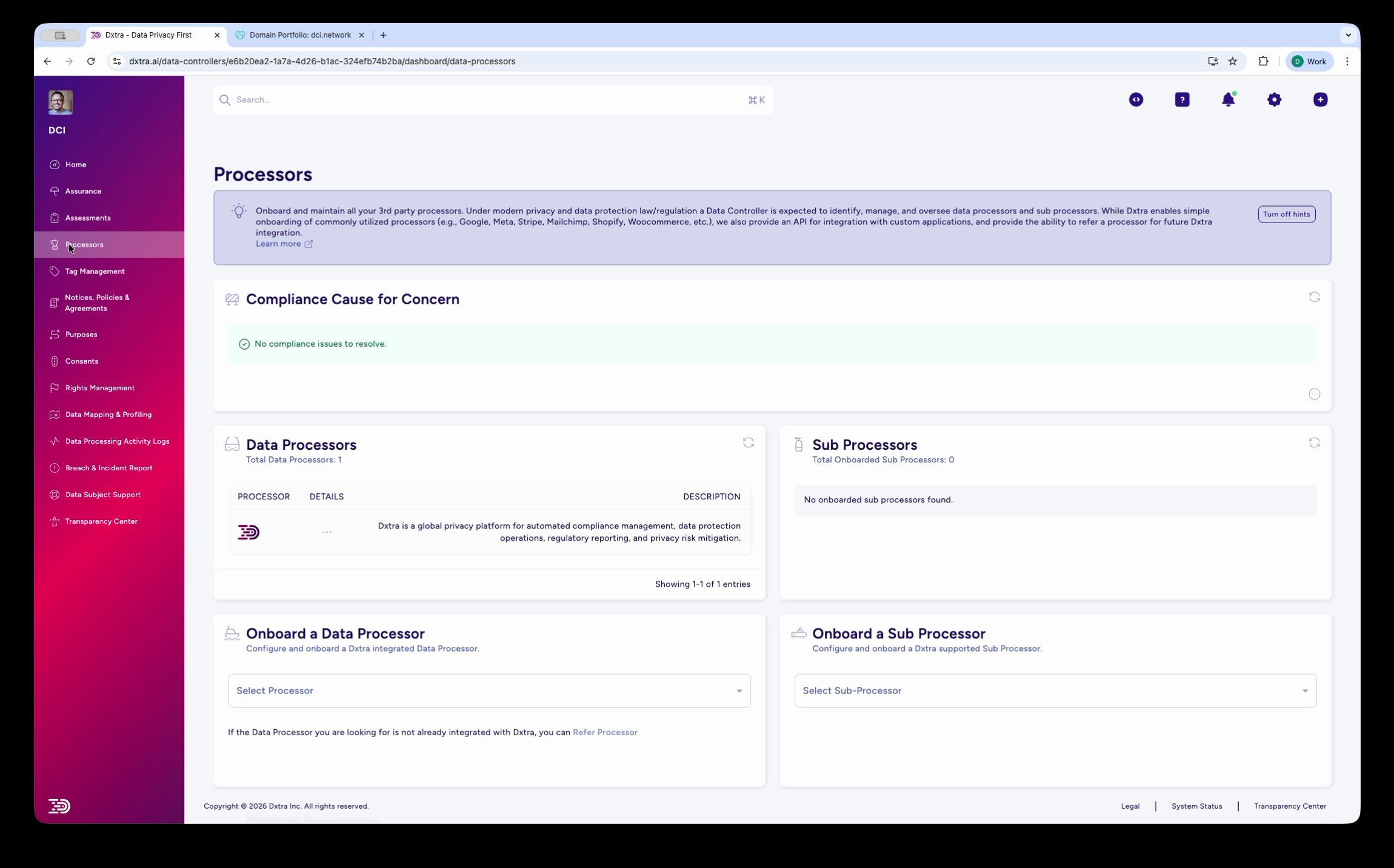
- Data processors — onboard your third-party processors (Stripe, Google Analytics, Mailchimp, etc.) using the pre-built integrations.
- Consent forms — review and customize the generated consent templates for your use cases (marketing, analytics, CCPA opt-out).
- Breach response plan — review the generated plan and confirm your notification workflows.
Phase 4: Publish and integrate (Days 3–7)
Once you have reviewed and approved your documents, publish your Transparency Center and integrate Dxtra with your existing systems.
- Publish your Transparency Center — choose a custom subdomain (e.g.,
privacy.yourbusiness.com) or embed as a web component on your site. - Deploy the Tag Manager — add the Tag Manager script to your website for privacy-first analytics with consent enforcement.
- Connect integrations — link your CRM, email marketing, e-commerce, and analytics tools to automate data subject preference propagation.
- Set up rights request handling — configure your DSRR workflow with deadline tracking (GDPR one month, CCPA 45 days).
- Invite team members — add your DPO, compliance team, and developers with role-based access.
Implementation by role
Different roles focus on different parts of the platform. Use the table below to identify which phases and capabilities are most relevant to you.
Business Owner
You are responsible for the overall privacy posture of your organization. Focus on the end-to-end flow: setup, review, and publication.
| Priority | Capability | Guide |
|---|---|---|
| 1 | Complete setup and review generated documents | Business Owner Quickstart |
| 2 | Publish your Transparency Center | Transparency Center guide |
| 3 | Onboard your data processors | Processor management |
| 4 | Handle data subject requests | DSR management |
Developer
You are responsible for technical integration — API, Tag Manager, Transparency Center embedding, and webhooks.
| Priority | Capability | Guide |
|---|---|---|
| 1 | Get API credentials and make your first query | Developer Quickstart |
| 2 | Deploy the Tag Manager | Tag Manager guide |
| 3 | Embed the Transparency Center | Embedding guide |
| 4 | Set up webhooks and Custom Functions | Webhooks guide |
Data Protection Officer
You are responsible for compliance configuration, assessment review, and rights request oversight.
| Priority | Capability | Guide |
|---|---|---|
| 1 | Review AI-generated assessments | DPO Quickstart |
| 2 | Configure processing purposes and legal basis | Purpose management |
| 3 | Set up breach reporting workflows | Breach reporting |
| 4 | Manage data subject rights requests | DSR management |
Agency Partner
You manage privacy compliance for multiple clients. Focus on multi-tenant setup and repeatable workflows.
| Priority | Capability | Guide |
|---|---|---|
| 1 | Set up your first client | Agency Quickstart |
| 2 | Onboard additional clients | Multi-client management |
| 3 | Standardize processor onboarding across clients | Processor management |
| 4 | Deploy Transparency Centers per client | Transparency Center guide |
Integration planning
Dxtra integrates with your existing tools to automate compliance workflows. Plan your integrations based on what your organization uses.
Pre-built integrations
| Category | Integrations | What they do |
|---|---|---|
| E-commerce | Shopify, WooCommerce | Identity mapping, DSRR automation, data discovery |
| Payments & Accounting | Stripe, QuickBooks, Xero, NetSuite | Payment processor compliance, data mapping |
| Email & Marketing | Mailchimp, Klaviyo, Customer.io | Preference propagation, consent management |
| CRM | HubSpot, Salesforce | Contact data mapping, consent sync |
| Analytics & Advertising | Google Analytics, Google Ads, Meta/Facebook | Consent enforcement, data subject tracking |
| File Storage | Google Drive | PII scanning across 50+ file formats |
| Events & Surveys | Eventbrite, SurveyMonkey | Registration data compliance |
| Tax | CCH Axcess, CCH iFirm | Professional services data handling |
| Hospitality | Aven Hospitality | Guest data management |
Custom integrations
For systems not covered by pre-built integrations, Dxtra offers two options:
- Webhooks — receive real-time events from Dxtra (consent changes, rights requests, breach notifications) at your endpoint via
conduit.dxtra.ai, with HMAC-SHA256 signature validation - Custom Functions — deploy serverless code that runs within the Dxtra platform for bespoke integration logic
Timeline summary
| Day | Phase | Key activities |
|---|---|---|
| Day 1 | Setup + AI generation | Create account, complete questionnaire, wait for AI generation (~60 min) |
| Days 1–3 | Review | Review privacy notices, assessments, purposes, and processor setup |
| Days 3–5 | Configure | Customize consent forms, configure rights request workflows, invite team |
| Days 5–7 | Publish + Integrate | Publish Transparency Center, deploy Tag Manager, connect integrations |
| Ongoing | Maintain | Handle rights requests, respond to breaches, use AI Regeneration when regulations change |
Start small, expand later
You do not need to complete every step before going live. Many organizations publish their Transparency Center and privacy notices on Day 1, then add processors, integrations, and advanced configuration over the following weeks.
What to read next
- Business Owner Quickstart — step-by-step guide to your first 10 minutes
- Developer Quickstart — API credentials, GraphQL, Tag Manager, and embeds
- DPO Quickstart — assessment review, compliance configuration, and rights oversight
- Key concepts — terminology and concepts used throughout the documentation