Overview
Dxtra is an AI-powered privacy compliance platform for small and medium-sized businesses. You sign up, complete a setup questionnaire (~10 minutes), and Dxtra's AI engine generates a complete privacy program tailored to your business context, jurisdictions, and data processing activities (~60 minutes). The generated program covers 500+ privacy obligations across 140+ countries, including GDPR, CCPA/CPRA, HIPAA, PECR, LGPD, PDPA, DPDPA, PIPEDA, POPIA, and dozens of US state laws and sector-specific regulations.
Pricing starts at $10/month with all 16 platform capabilities included in every plan.
How Dxtra works
Dxtra takes you from sign-up to a live, fully compliant privacy program in three stages.
1. Create your account and complete the questionnaire
Sign up at app.dxtra.ai and create your Data Controller profile. The setup wizard walks you through each step:
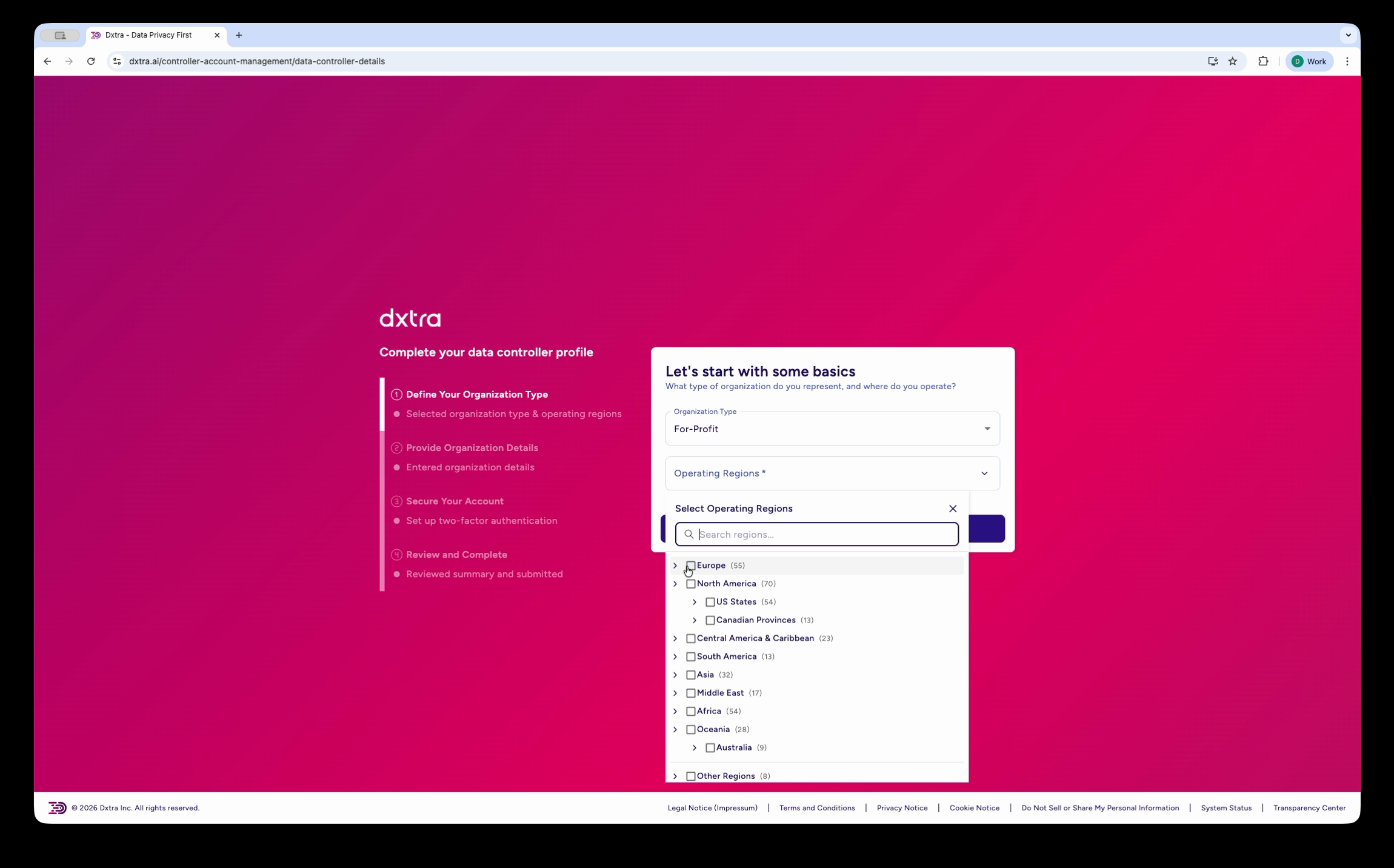
- Organization type — select For-Profit, Non-Profit, or other entity types
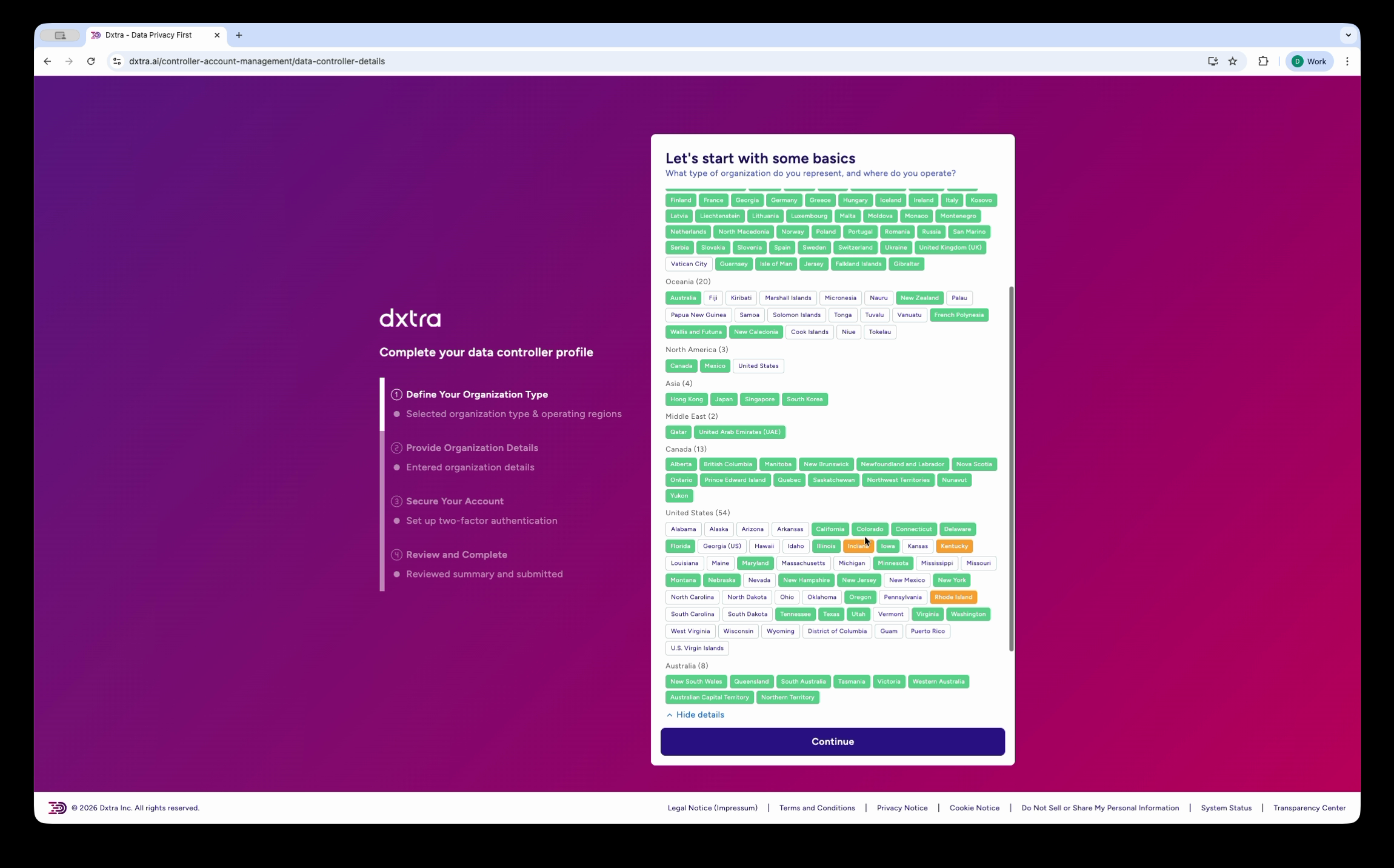
- Operating regions — choose from 140+ countries and regions grouped by continent, with automatic regulatory mapping (GDPR, CCPA, LGPD, and more)
- Organization details — legal name, address, timezone, and contact information
- Industry selection — pick from hundreds of industry categories so Dxtra can tailor your compliance program
- AI-generated description — Dxtra drafts a description of your data processing activities based on your selections
- Company representatives — add your Data Protection Officer and other key contacts
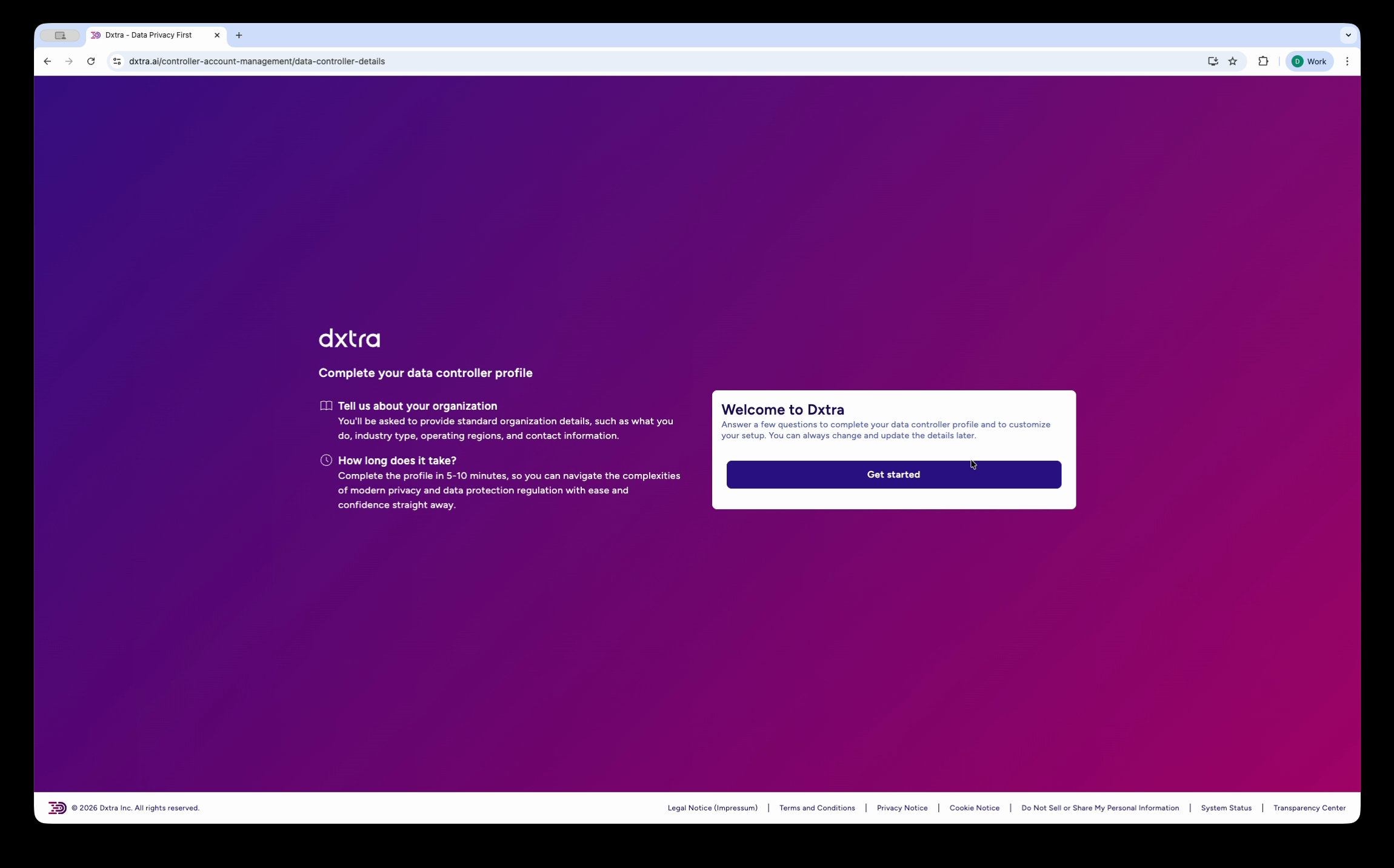
2. AI generates your privacy program
Once you complete the questionnaire, Dxtra's AI engine generates a complete privacy program in approximately 60 minutes. The engine uses models from OpenAI and Anthropic, automatically selecting the best model for each task. Your generated program includes:
- Privacy notices in full, overview, and quick-look formats
- Cookie and tracking policies
- Data Protection Impact Assessments (DPIAs)
- Data processing agreements
- Retention policies
- Breach response plans
- Consent templates
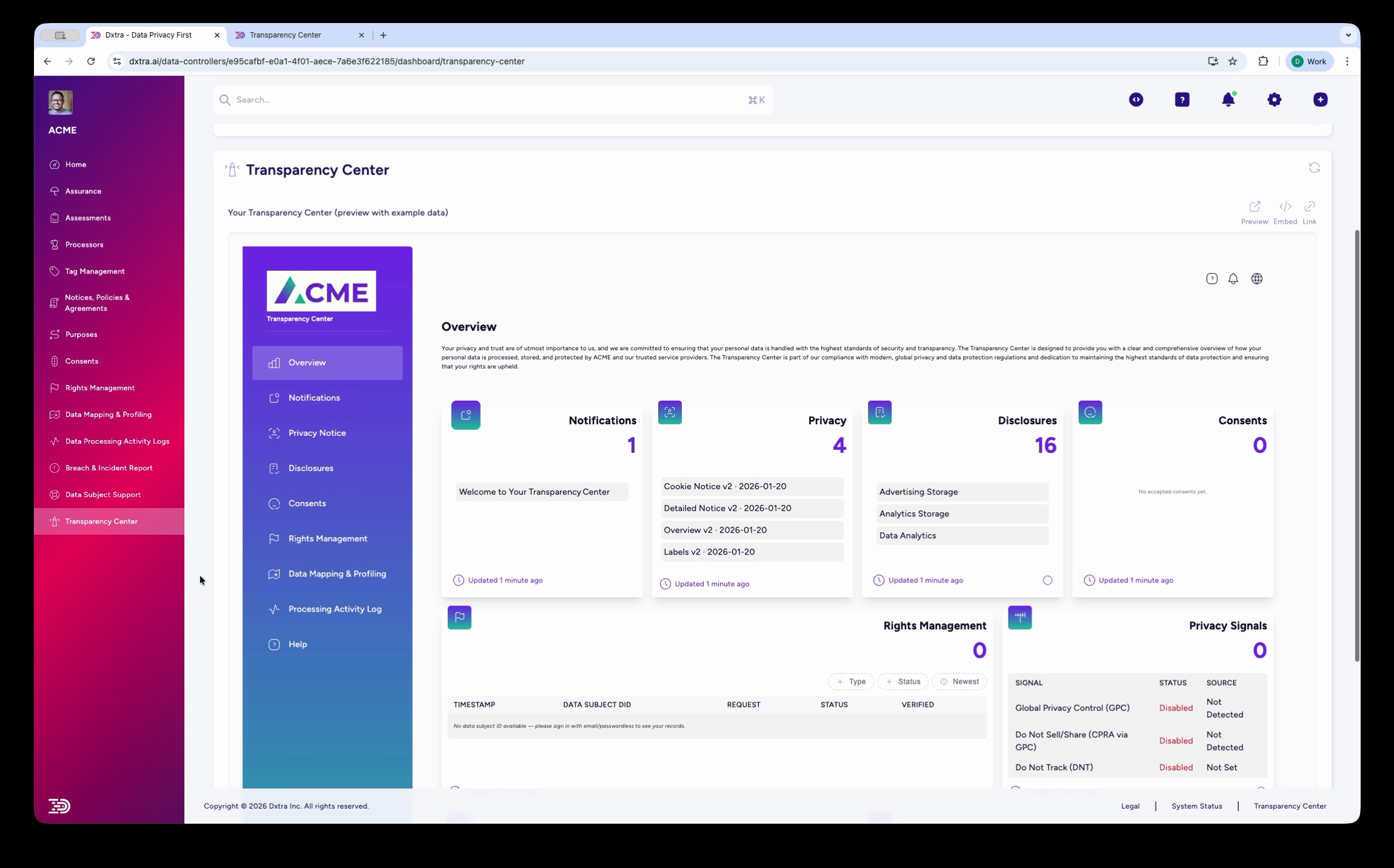
- Transparency Center content — your public-facing privacy portal
Every document passes a five-point quality gate: word count verification, required section checks, completeness scoring, placeholder detection, and structural analysis.
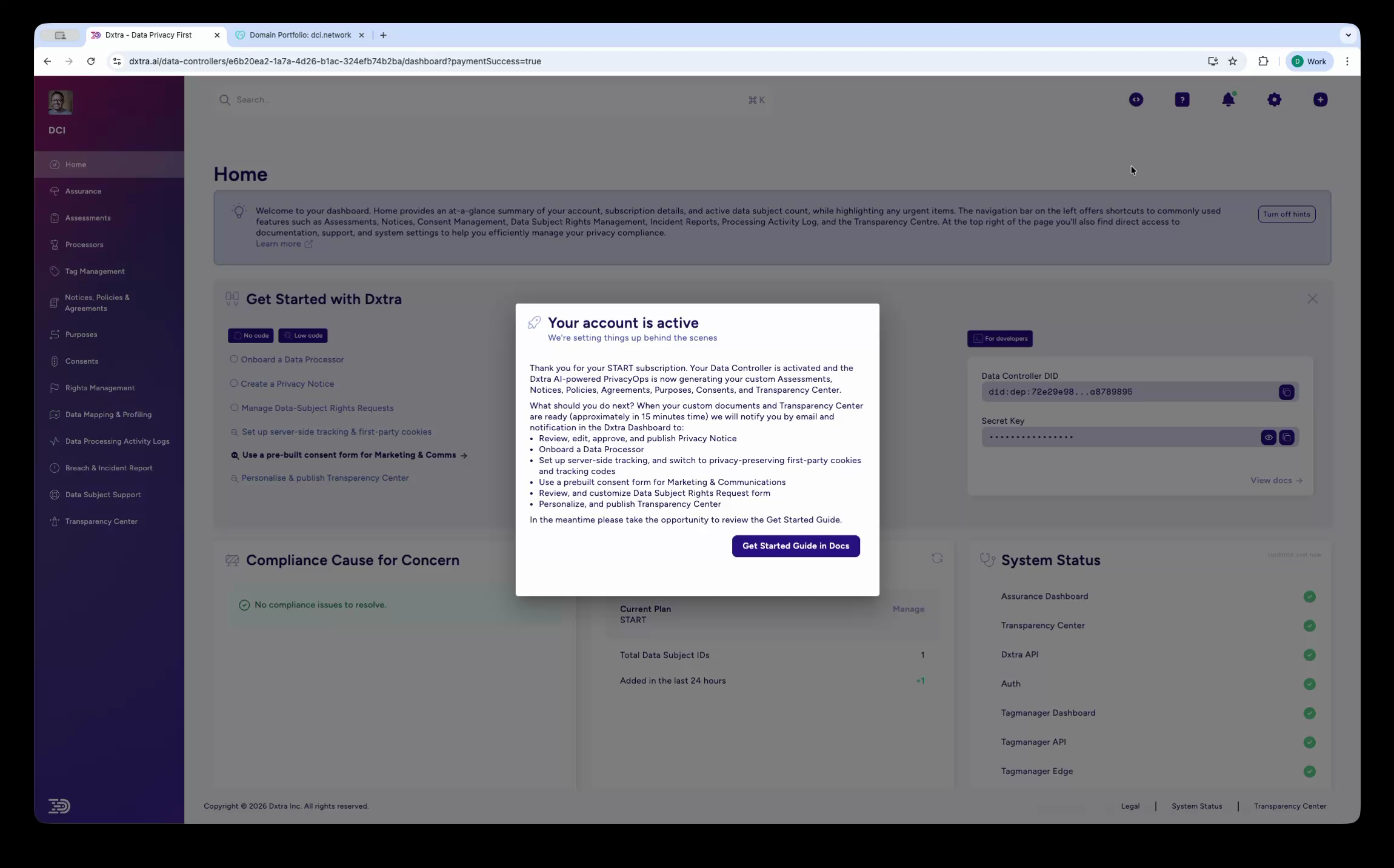
Human review required
AI-generated content is never published automatically. Every document requires your review and approval before it goes live. AI-generated content does not constitute legal advice.
3. Review, approve, and publish
When generation completes, you receive an email and in-app notification. The Assurance Overview gives you a single view of all generated documents organized by type — assessments, notices, policies, agreements, purposes, and consents.
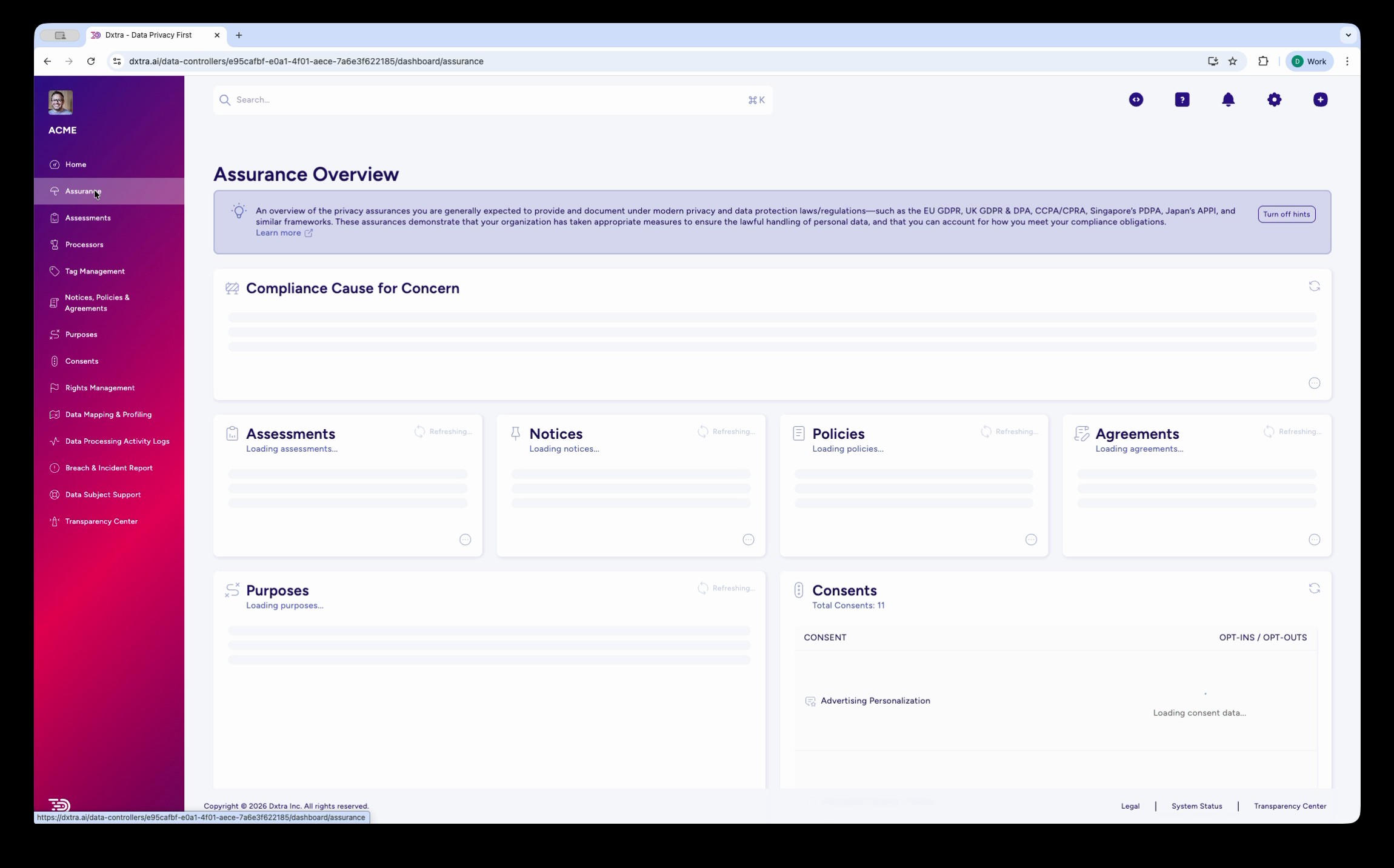
Review each document, make edits where needed, and approve for publication. Your Transparency Center goes live on a custom subdomain (e.g., privacy.yourbusiness.com) or as an embeddable web component on your existing site.
The three pillars
Dxtra organizes its 15 capabilities into three pillars. All capabilities are included in every plan.
Governance & Compliance
Manage the regulatory side of your privacy program — assessments, processor relationships, consent configuration, breach reporting, and AI governance.
- Data Protection Impact Assessments — DPIAs, TIAs, LIAs, algorithmic impact assessments, and vendor risk assessments
- Processor Management — onboard, monitor, and manage third-party data processors with pre-built integrations
- Purpose & Consent Management — configure processing purposes, legal basis, and consent categories
- Data Minimization & Purpose Limitation — audit and control personal data collection
- Breach & Incident Reporting — report breaches to authorities and notify affected data subjects with GDPR 72-hour deadline tracking
- AI & Data Use Governance (Planned) — manage AI risks and ensure responsible data use
Automation & Operations
Automate the operational work of compliance — activity logging, data scanning, analytics, and multi-language support.
- Self-Service Privacy Management — give data subjects control over their data
- Processing Activity Logs — GDPR Article 30 compliant records of all processing activities
- PII Scanning & Data Mapping — detect personal data across 50+ file formats including OCR
- Tag Manager — privacy-first, server-side, cookie-free analytics with consent enforcement
- Multi-Lingual & Custom Themes — publish your privacy program in 11 locales with your branding
Trust & Transparency
Build trust with data subjects through transparent privacy practices and self-service tools.
- Transparency Center — public-facing privacy portal hosted on your subdomain or embedded as a web component
- Multi-Layered Privacy Notices — full, overview, and quick-look formats generated automatically
- Data Subject Rights Management — handle access, erasure, rectification, restriction, portability, objection, and automated decision-making requests with GDPR one-month and CCPA 45-day deadline tracking
- Data Subject Support — self-service portal with AI assistant for data subject questions
- Auditor & Regulator Access — read-only access for compliance verification
Plans and pricing
Every plan includes all 15 capabilities. Plans differ by domain count, AI regeneration quota, language support, and data subject volume.
| Plan | Price | Domains | AI Regenerations | Languages | Data Subject IDs |
|---|---|---|---|---|---|
| Start | $10/mo | 1 | 1/month | EN + 1 | Up to 50K |
| Growth | $25/mo | 1 | 2/month | EN + 2 | Up to 200K |
| Scale | $100/mo | 1 | 3/month | EN + 3 | Up to 1M |
| Enterprise | $1,000/mo | 10 | 10/month | EN + 10 | Up to 100M |
The Start plan includes a 14-day money-back guarantee.
Navigating the dashboard
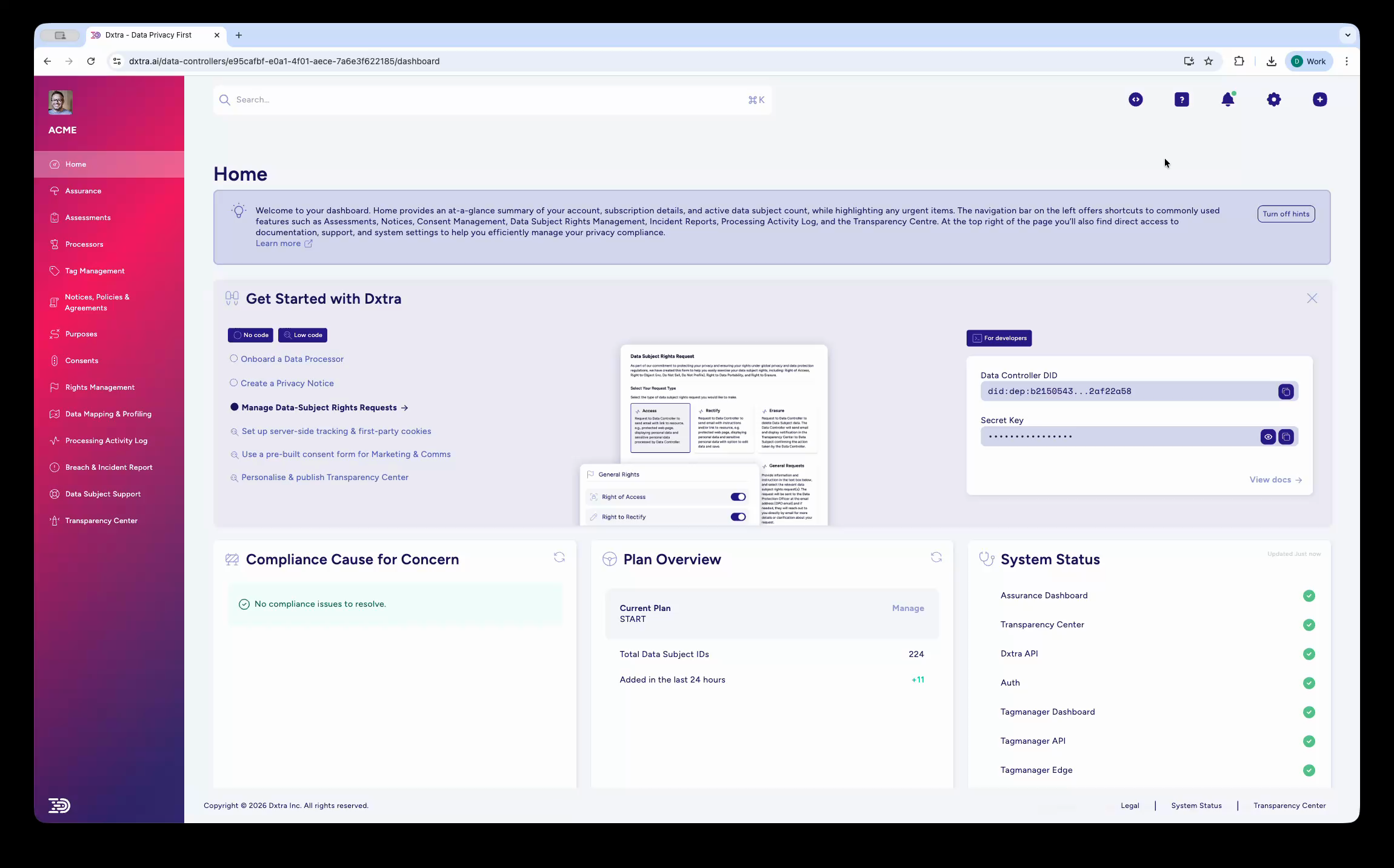
Once your privacy program is generated, the Dxtra dashboard at app.dxtra.ai is your central hub for managing compliance. Here are the key navigation features available from every page.
Search (⌘K) — Press Cmd+K (or Ctrl+K on Windows) to open full-text search across the application. The search box is also accessible from the top bar. Use it to quickly find settings, documents, processors, or any other item in your workspace.
AI Assistant — Select the help icon (?) in the top bar to open the AI Assistant side panel. The panel provides quick links to developer documentation and support articles, suggested questions organized by category (getting help, troubleshooting, reporting and tracking issues), and a chat input where you can ask questions or attach files for assistance.
Quick Actions (Task + button) — Select the Task (+) button in the top bar to access six shortcuts:
- Upload Document
- Onboard Processor
- Add Purpose
- Create Consent Form
- Breach & Incident Reports
- Custom FAQ
These shortcuts let you jump directly to common workflows without navigating the sidebar.
What to read next
- Plan your implementation — map your implementation to your role and timeline
- Business Owner Quickstart — get compliant in 10 minutes
- Developer Quickstart — API credentials, GraphQL, Tag Manager, and embeds
- Key concepts — terminology and concepts used throughout the documentation