Purposes
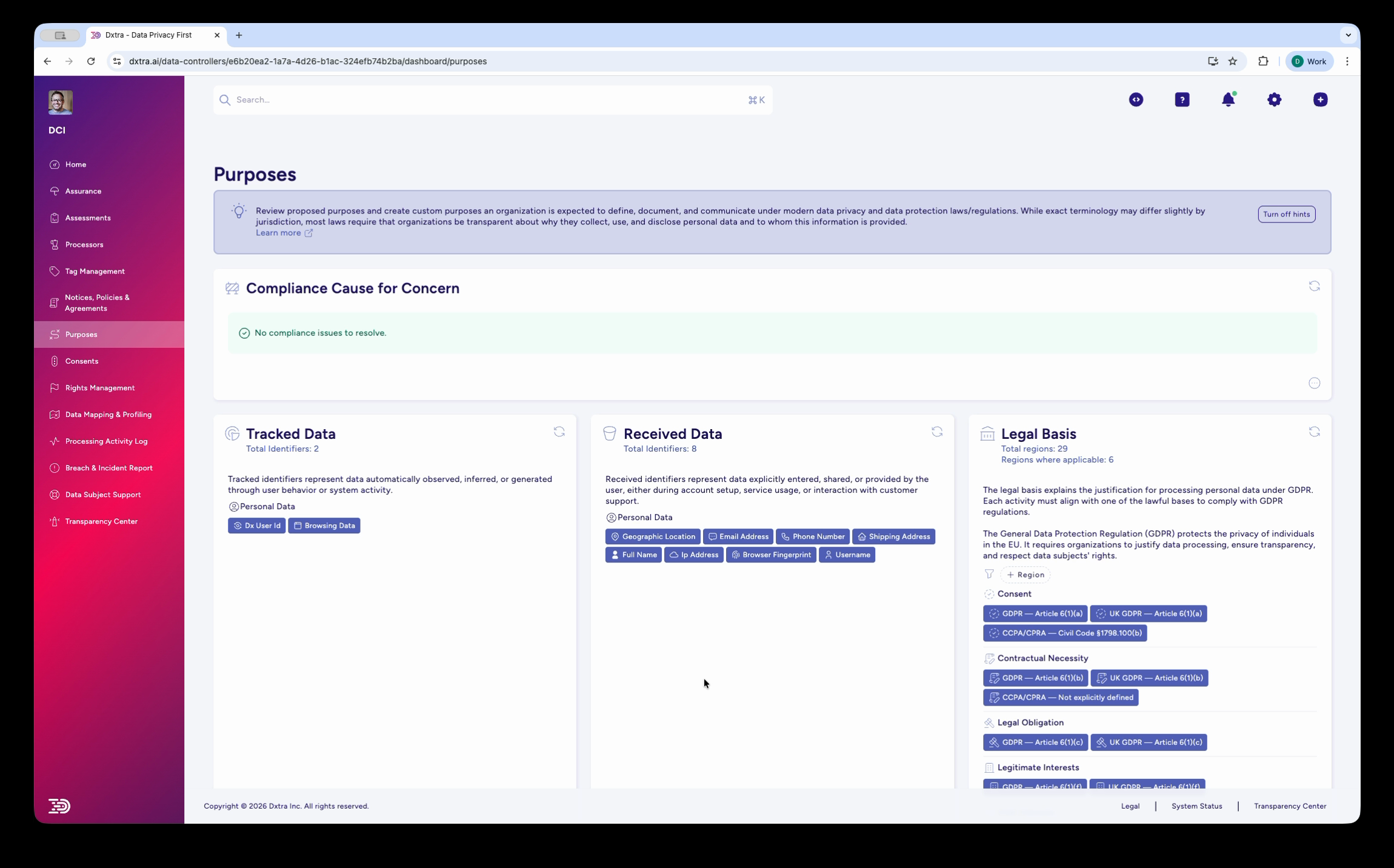
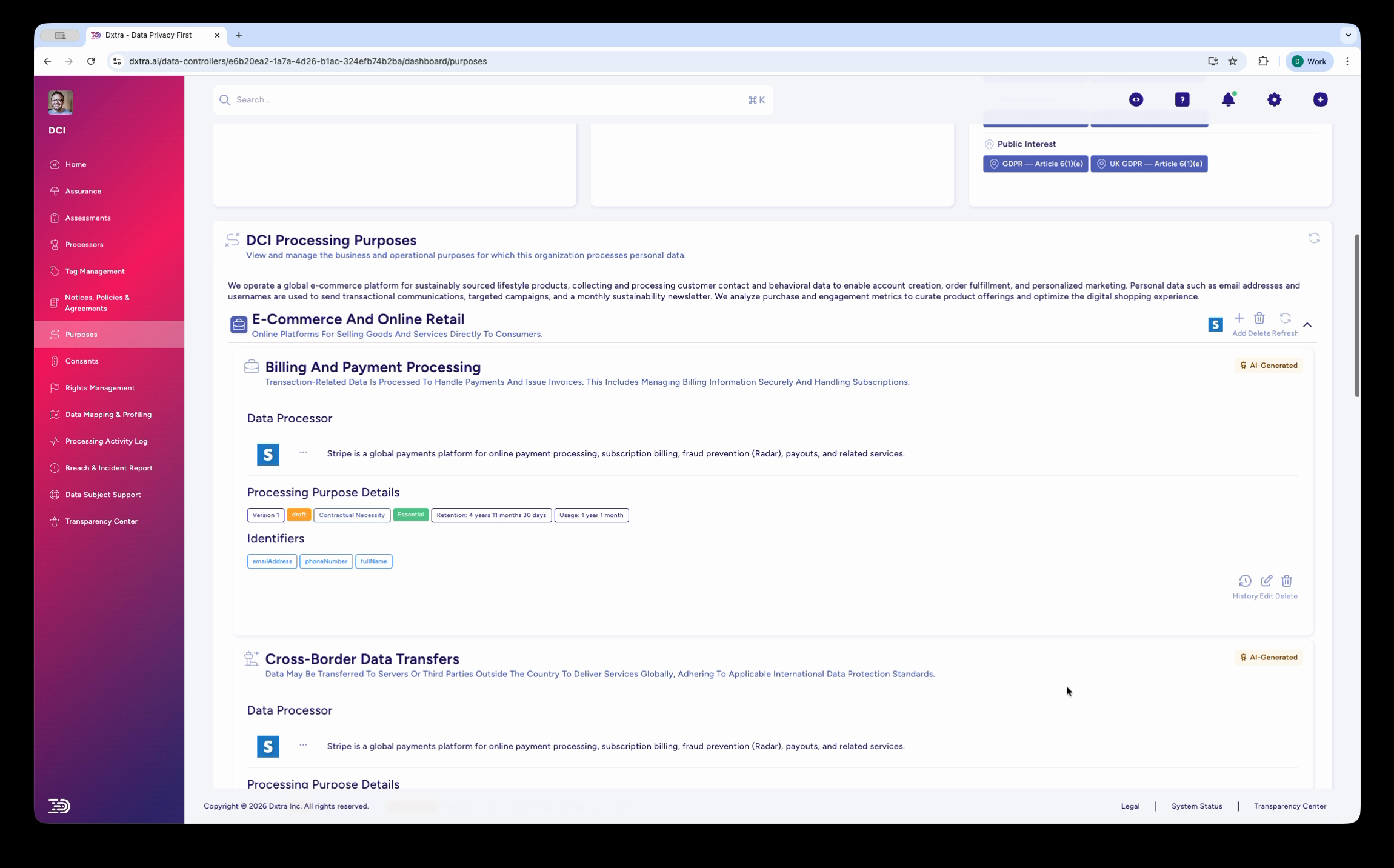
The Purposes page is your centralized registry for documenting why your organization processes personal data. Each purpose records what data you collect, the legal basis for processing, who receives it, and how long you retain it.
URL path: /data-controllers/{id}/dashboard/purposes
Access: Select Purposes in the left sidebar.
What you see
The page has three sections:
- Tracked/Received Data — Data categories your organization collects and processes
- Legal Basis — The legal justification for each processing purpose (see legal basis options below)
- Processing Purposes — Your defined purposes, each linked to a legal basis and data categories
Legal basis options
Dxtra supports six legal bases aligned with GDPR Article 6(1). Select the basis that best matches your processing purpose.
View all six legal bases
| Legal basis | GDPR Article | When to use |
|---|---|---|
| Consent | 6(1)(a) | Individual has opted in to specific processing |
| Contract | 6(1)(b) | Processing is necessary to fulfill a contract with the individual |
| Legal Obligation | 6(1)© | Processing is required by law (e.g. tax reporting) |
| Vital Interests | 6(1)(d) | Processing is necessary to protect someone's life |
| Public Task | 6(1)(e) | Processing is necessary for a task in the public interest |
| Legitimate Interests | 6(1)(f) | Your organization's interest outweighs the individual's privacy interest |
Create a purpose
- Go to Purposes and select Create New Purpose.
- Enter a Purpose Name (e.g. "Service Delivery", "Marketing Communications", "Legal Compliance").
- Select the Category from the predefined list.
- Write a Description — 2–3 sentences explaining the purpose.
- Choose the Legal Basis from the six options above.
- Select the Data Categories this purpose requires (names, contact info, financial data, etc.).
- Identify Recipients — who accesses this data (internal teams, external processors, regulators).
- Set the Retention Period — how long you keep the data and why.
- Save as draft or submit for review.
Purpose creation interface showing purpose name entry, category selection, legal basis determination, data categories specification, and recipient identification.
Review and approval workflow
Purpose review interface showing completeness verification checklist, legal basis justification confirmation, privacy notice language preview, and approval workflow with role-based sign-off.
Once created, route the purpose to your Data Protection Officer or Legal Counsel for review. The reviewer confirms the legal basis is appropriate, data minimization is followed, and privacy notice language is adequate. Approval marks the purpose as "Active" and auto-updates your privacy notice and Records of Processing Activities (RoPA).
Best practices for managing purposes
- Be specific but practical — A purpose should be explainable to a regulator in one sentence. "Email marketing" is better than "send promotional emails about category A to female customers aged 25–35 in California."
- Link everything — Connect purposes to processing activities, data categories, recipients, retention schedules, privacy notices, and risk assessments.
- Review regularly — Conduct an annual audit to verify purposes are still accurate and identify undocumented processing.
- Update when processing changes — New data category, new recipient, or changed retention? Update the purpose.
Note
For detailed guidance on determining legal basis and conducting balancing tests, see the legal basis guide. For purpose category examples and regulatory context, see the consent management overview.
Related
- Consents — Manage consent-based processing
- Processing Activity Log — Link purposes to processing activities
- Assessments — Legitimate Interest Assessments and balancing tests
- Notices, policies & agreements — Disclose purposes to individuals