Notices, Policies & Agreements
Overview
The Notices, Policies & Agreements module centralizes creation, management, and deployment of all legal documentation related to data privacy. This includes customer-facing privacy notices, internal policies, vendor agreements, and regulatory-specific notices required by GDPR, CCPA, PDPA, and other regimes.
Who uses this feature
- Business Owner: Reviews and approves privacy notices and policies for publication
- Data Protection Officer (DPO): Ensures notices include all required disclosures and maintains version control for compliance
Document types
Privacy Notices (Consumer-Facing)
Privacy notices disclose to individuals how you collect, use, and protect their personal data. These are required by GDPR Article 13-14, CCPA Section 1798.100, and other regulations.
Types in Dxtra: 1. Website Privacy Notice: primary disclosure for website visitors 2. Mobile App Privacy Notice: specific disclosure for app users 3. Employee Privacy Notice: internal notice for employee data collection 4. Candidate Privacy Notice: disclosure during recruitment 5. Vendor/Partner Privacy Notice: disclosure to business partners 6. Children's Privacy Notice: child-friendly version for under-13 or under-16 data
Creating a Privacy Notice: 1. Go to Notices, Policies & Agreements > Create Document 2. Select Privacy Notice 3. Choose template (Website, Mobile App, Employee, etc.) 4. Dxtra auto-populates from Records of Processing Activities 5. Customize for jurisdiction and add company-specific details 6. Publish to website
Cookie Notices & Cookie Policies
Cookie notices inform users about tracking technologies (cookies, pixels, mobile identifiers) used on your website or app. Required by GDPR via ePrivacy Directive and CCPA.
Key Cookie Categories:
| Category | Requires Consent | Example | Purpose |
|---|---|---|---|
| Essential/Necessary | No | Session cookies, security tokens | Maintain user session, security |
| Performance/Analytics | Yes | Google Analytics, Mixpanel | Understand website usage |
| Functional | Yes* | Language preferences, saved settings | Customize user experience |
| Marketing/Advertising | Yes | Google Ads, Facebook Pixel | Targeted advertising, retargeting |
*Functional cookies borderline; some regulators accept no consent needed if no tracking
In Dxtra: 1. Go to Notices, Policies & Agreements > Create Document 2. Select Cookie Notice or Cookie Policy 3. Complete Cookie Inventory with each cookie used 4. Specify category and retention period 5. Dxtra auto-integrates with Tag Management system 6. Link consent management and publish to website
Data Processing Agreements (DPAs)
DPAs establish the contractual relationship between controller and processor, ensuring processor complies with data protection obligations.
Required by: - GDPR Article 28 - CCPA Section 1798.140(ag) - LGPD Article 41 - PDPA, APPI, PIPEDA
In Dxtra: 1. Go to Data Processors > [Processor Name] > Agreement 2. Click Create/Upload DPA 3. Use template or upload executed copy 4. Dxtra verifies all required Article 28 terms present 5. Archive executed agreement for audit trail
Sub-Processor Agreements
Agreements when a processor engages additional vendors (sub-processors) who also access data.
Process: 1. Go to Data Processors > [Processor] > Sub-Processors 2. For each sub-processor, view attached agreement 3. Click Upload Sub-Processor Agreement 4. Verify includes required terms 5. Approve or request amendments 6. Track sub-processor changes
Consent Agreements
Document individuals' consent to marketing, cookies, data sharing, or processing outside normal scope.
Valid Consent Elements: - Freely given - Specific and granular (one per purpose) - Informed (clear language, understand consequences) - Unambiguous affirmative action (opt-in, not opt-out) - Easy withdrawal mechanism
Dashboard overview and domain management
Before creating notices and policies, familiarize yourself with the notices, policies, and agreements dashboard. This is where you manage all legal documentation, domain settings, and document publication configuration.
Step 1 — View your notices and policies by navigating to Notices, Policies & Agreements from the sidebar.
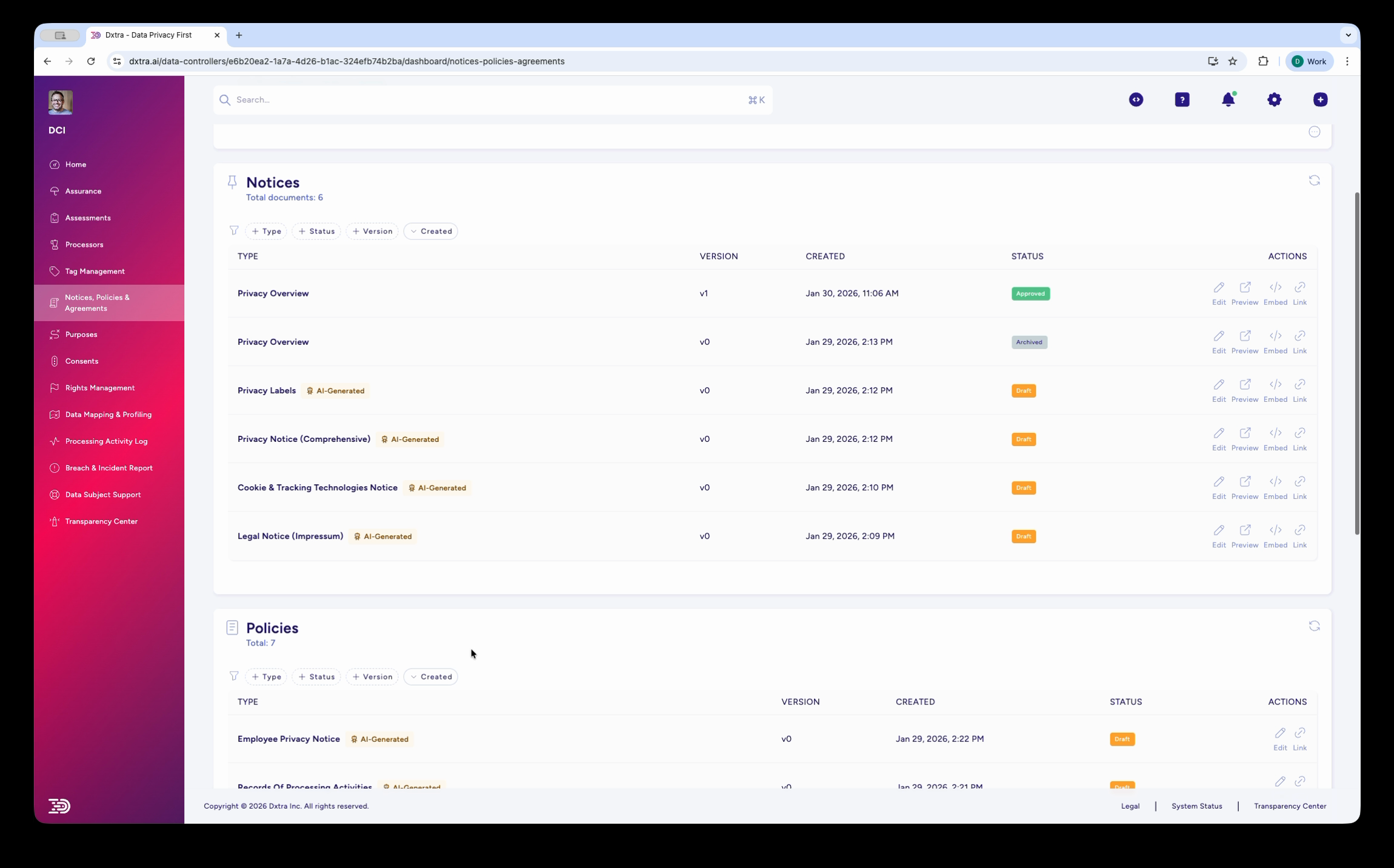
The Notices, Policies & Agreements page showing the Notices and Policies tables. Notices include Privacy Overview, Privacy Labels (AI Generated), Privacy Notice Comprehensive (AI Generated), Cookie & Tracking Technologies Notice (AI Generated), and Legal Notice. Below, the Policies section lists Employee Privacy Notice and other policy documents with version, date, and status columns.
Step 2 — View and edit a privacy notice by clicking on any document in the list. The editor shows a split view with the document structure on the left and a live preview on the right.
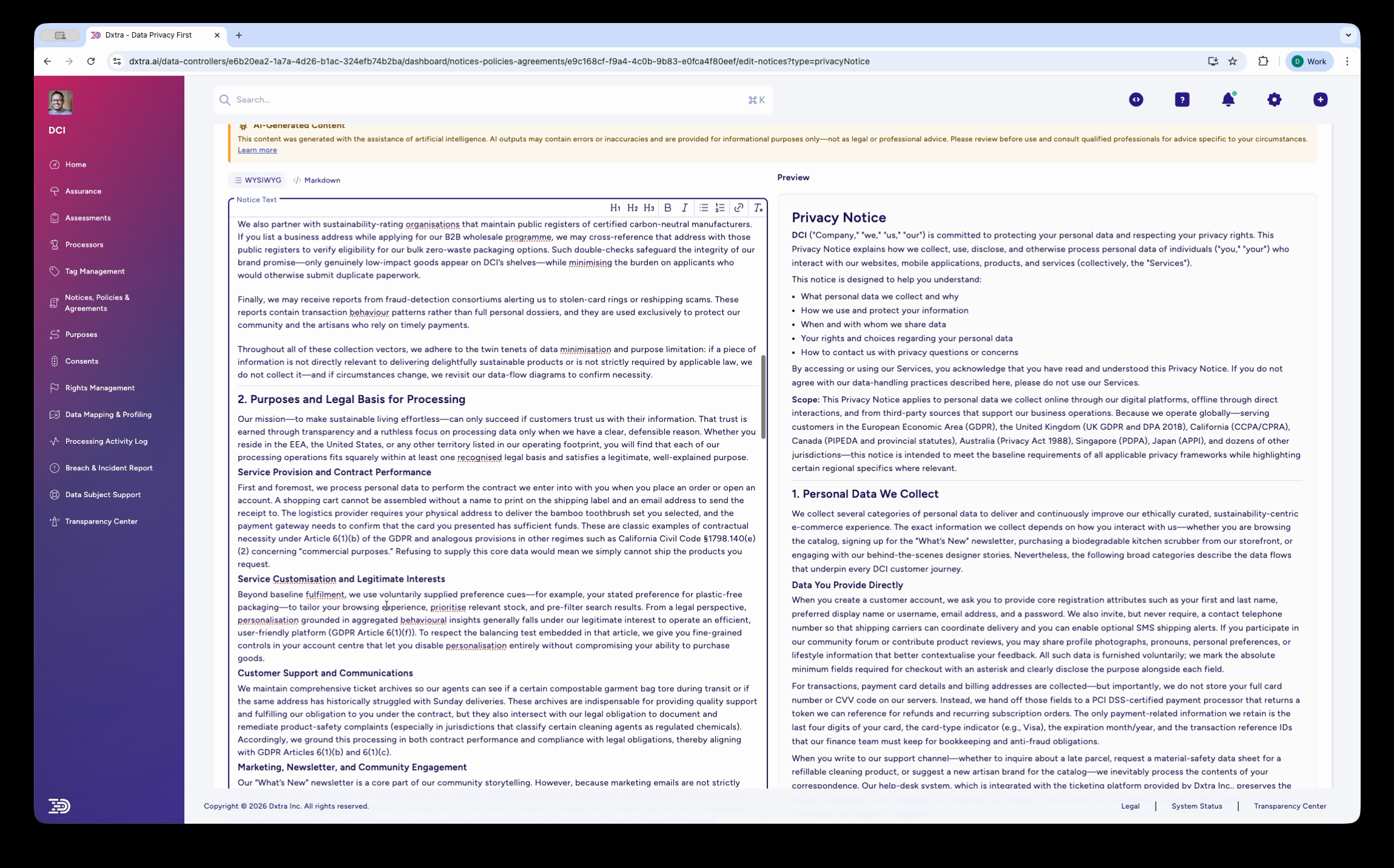
The Privacy Notice editor in split-view mode, showing the document content on the left (with sections like "Purposes and Legal Basis for Processing," "With whom we share your Personal Information," and privacy rights) and a formatted preview on the right.
Step 3 — Scroll down in the editor to review additional sections including "International Data Transfers and Safeguards," "Data Retention Period and Deletion Practices," and other regulatory disclosures. The preview pane updates in real time as you edit.
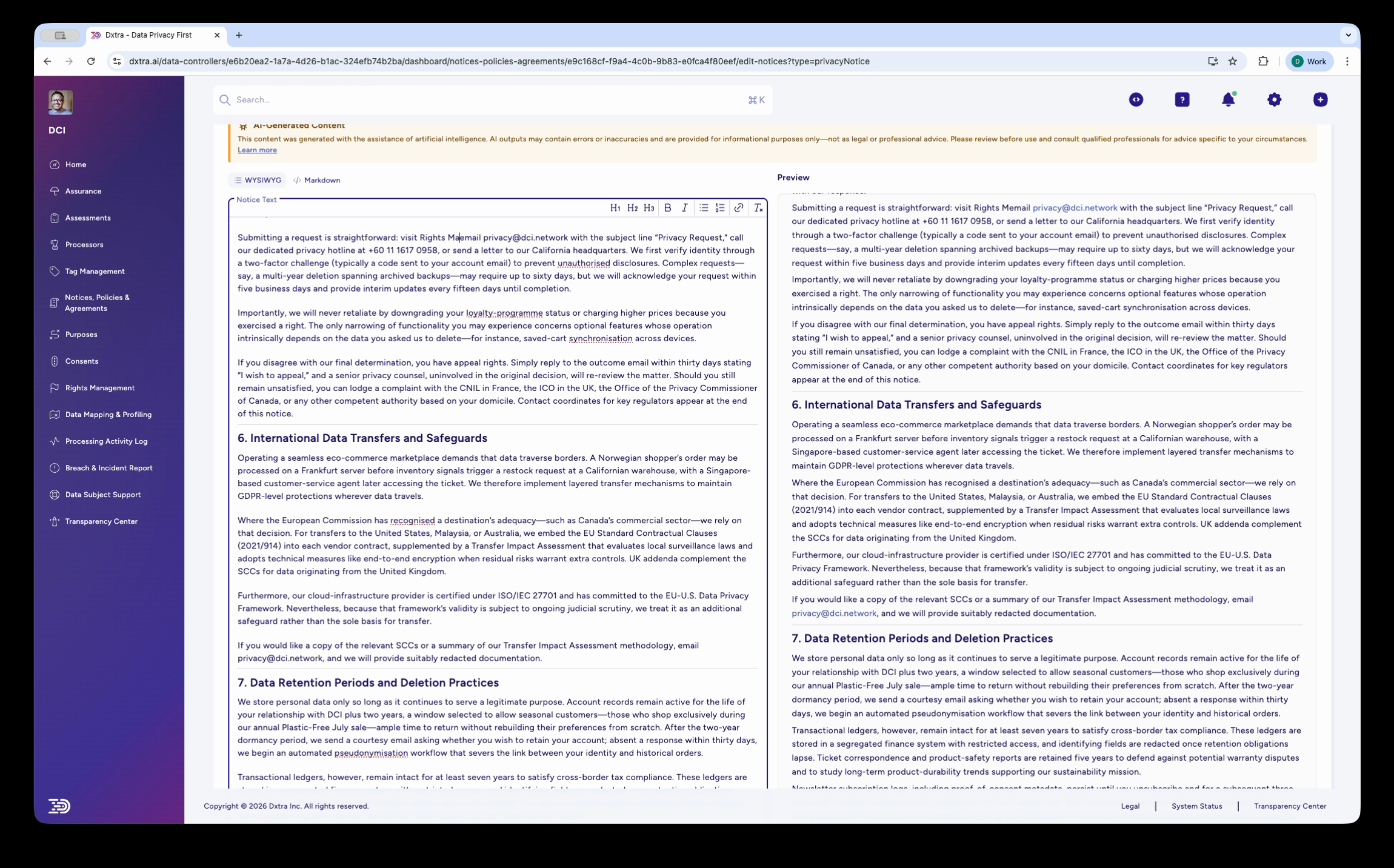
The Privacy Notice editor scrolled further, showing sections on International Data Transfers and Safeguards, Data Retention Periods, and detailed legal text. The right-side preview displays the formatted notice as data subjects will see it.
Publishing workflow
Step 1: Gather Information
- Export Records of Processing Activities (RoPA)
- List data processors and recipients
- Document data retention periods
- Clarify consent mechanisms (if any)
Step 2: Create Document
- Go to Notices, Policies & Agreements > Create Document
- Select document type (Privacy Notice, Cookie Policy, DPA, etc.)
- Choose template and jurisdiction
- Select scope (website, mobile app, employee, etc.)
Step 3: Auto-Populate
- Dxtra imports from your RoPA
- Review auto-populated sections:
- Data categories collected
- Purposes documented
- Recipients (processors, partners)
- Retention periods
- Edit as needed
Step 4: Customize & Review
- Add company-specific details
- Add jurisdiction-specific rights
- Use Dxtra's Compliance Checker to verify requirements
- Route to legal counsel for review
Step 5: Publish
- Download as PDF or HTML
- Copy text to web pages or upload PDF
- Archive in Dxtra with publication date
- Set review date (annually minimum)
Best practices
Keep Language Accessible - Target 8th-grade reading level - Avoid legal jargon or explain terms clearly - Use short sentences and paragraphs - Use active voice where possible
Make Notices Easy to Find - Link from homepage and footer - Ensure accessible via mobile - Use QR code (CCPA requirement) - Make no more than one click from major pages
Keep Processors Current - Update notices when processors change - Remove vendors no longer used - Add new processors before they access data
Use Version Control - Archive all previous versions - Document effective dates clearly - Note what changed between versions - Use Dxtra's version history for audit trail
Test Before Publishing - Verify all links work (DPO contact, opt-out forms, etc.) - Test downloadable PDFs display correctly - Verify legal basis matches actual processing - Test consent mechanisms (if included)
Support Multiple Languages - Translate to all languages of target audience - Use professional translation (not automated) - Maintain version consistency across languages
Document checklist
Before Publishing - [ ] Covers all data collection methods - [ ] Identifies controller and DPO - [ ] Lists all purposes for processing - [ ] Identifies all recipients/processors - [ ] Specifies retention periods - [ ] Includes all required rights for jurisdiction - [ ] Easy-to-understand language verified - [ ] Links/contact information tested - [ ] Legal review completed - [ ] Version dated and archived
Ongoing Maintenance - [ ] Review annually or after major changes - [ ] Update when processors change - [ ] Update when processing purposes change - [ ] Update when retention periods change - [ ] Archive previous versions
Related documentation
- Processing Activity Log — Document processing for notice accuracy
- Processors — Maintain processor agreements