Assessments
This page describes the Assessments screen in the Dxtra dashboard. For workflow guides on running assessments, see Assessments overview.
Overview
The Assessments module provides structured templates and workflows for conducting comprehensive privacy and security impact assessments. This module helps organizations identify risks, document mitigation strategies, and maintain regulatory compliance through systematic evaluation of data processing activities and vendor relationships.
Who uses this feature
- Business Owner: Approves assessments and manages organizational compliance roadmap
- Data Protection Officer (DPO): Oversees assessment completion, regulatory compliance, and risk determination
- Auditor & Regulator: Reviews completed assessments and documentation for compliance verification
Assessment types available in Dxtra
Data Protection Impact Assessments (DPIA)
Purpose A DPIA (also called a Privacy Impact Assessment) evaluates whether a processing activity presents high risk to individuals' rights and freedoms. Required by GDPR Article 35 before implementing high-risk processing.
Common Triggers - Large-scale processing of personal data - Systematic monitoring or profiling - Processing of special categories of data (health, race, religion, etc.) - Automated decision-making with legal or significant effects - New technology implementation (AI, biometrics, surveillance) - Major changes to existing processing
Filing Requirements - Keep DPIAs on file for five or more years (GDPR compliance) - Notify Data Protection Authority if high risks remain unmitigated - Update when processing changes significantly
Third-Party/Vendor Impact Assessments (TIA)
Purpose A TIA evaluates the privacy and security risks introduced by engaging a new vendor, processor, or business partner. Ensures due diligence before sharing data with third parties.
Common Triggers - Selecting a new cloud provider or SaaS platform - Contracting a marketing agency or analytics vendor - Engaging a business services firm - Integrating third-party APIs or plugins - International data transfers to vendor infrastructure
Assessment Includes - Vendor security certifications and audit reports - Data processing location and legal jurisdiction - Sub-processor practices and change management - Incident response and breach notification procedures - Data subject rights fulfillment capabilities - Contract terms for data protection
Dxtra Workflow 1. Create new vendor record in Data Processors module 2. Assessments module automatically generates TIA template 3. Complete questionnaire (auto-populated from vendor SOC 2 reports where available) 4. Assign risk rating (low, medium, high) 5. Approve or request changes before vendor onboarding 6. Link to resulting Data Processing Agreement
Legitimate Interest Assessments (LIA)
Purpose A LIA documents the organization's legitimate interest in processing data and demonstrates it outweighs individuals' rights. Required under GDPR Article 6(1)(f) when using legitimate interest as legal basis.
Common Triggers - Marketing communications to existing customers - Fraud prevention and security monitoring - Website analytics and user experience improvement - Employee monitoring or background checks - Competitor analysis or market research
Assessment Components - Purpose of processing and business justification - Necessity test: is processing necessary for the purpose? - Balancing test: weigh legitimate interest against individual impact - Safeguards to minimize individual impact
Dxtra Workflow 1. Create LIA from processing activity in Records of Processing Activities 2. Document the legitimate interest claimed 3. Answer necessity and balancing questions 4. Identify mitigation measures 5. Auto-populate privacy notice with right-to-object language 6. Approve before processing begins
Security Risk Assessment
Purpose Evaluates technical and organizational security measures against identified threats. Complements DPIA with security-focused analysis.
Scope - Infrastructure security (data centers, cloud services) - Application security (access controls, encryption, logging) - Network security (firewalls, intrusion detection) - Personnel security (training, background checks) - Incident response and recovery procedures - Third-party security (processor requirements, SLA)
Dxtra Integration 1. Create new Security Risk Assessment 2. Map to processing activities in Records of Processing Activities 3. List identified threats and vulnerabilities 4. Assign risk ratings (likelihood × impact) 5. Document implemented and planned controls 6. Track remediation timelines
Annual Risk Assessment (CCPA/CPRA)
Purpose California regulations require annual privacy risk assessments to identify risks of intentional or reckless misuse of personal information.
Required Elements - Identification of personal information collected - Risk assessment of intentional or reckless misuse - Controls and safeguards implemented - Employee training and access procedures - Vendor contract requirements - Incident response procedures
Dxtra Workflow 1. Start annual assessment in Q4 for prior-year review 2. Review all processing activities documented in Records of Processing Activities 3. Complete privacy risk questionnaire 4. Compare to prior year, note changes 5. Document new safeguards implemented 6. Identify gaps for next year roadmap
UI sections in Dxtra
Assessment Dashboard
- In-Progress Assessments: workflow status and due dates
- Assessment Queue: overdue items requiring attention
- Filing Requirements: regulatory deadlines (DPIA notification, CCPA filing)
- Recent Assessments: quick access to completed evaluations
- Risk Summary: aggregate risk ratings across all assessments
Assessment Workflow
Each assessment follows a standardized workflow: 1. Information Gathering: structured questionnaire with guidance 2. Risk Evaluation: impact matrix, likelihood assessment 3. Mitigation Planning: controls and remediation measures 4. Review & Approval: sign-off by DPO or manager 5. Documentation: assessment locked and archived 6. Monitoring: periodic review and update triggers
Collaboration Features
- Comments & Notes: team discussion within assessment
- Document Attachment: upload evidence (reports, policies, screenshots)
- Assignment: route sections to subject matter experts
- Version History: track changes and previous assessments
- Approval Workflow: manager sign-off before finalization
Step-by-step: conducting a DPIA (most common assessment)
Step 1: Initiate assessment
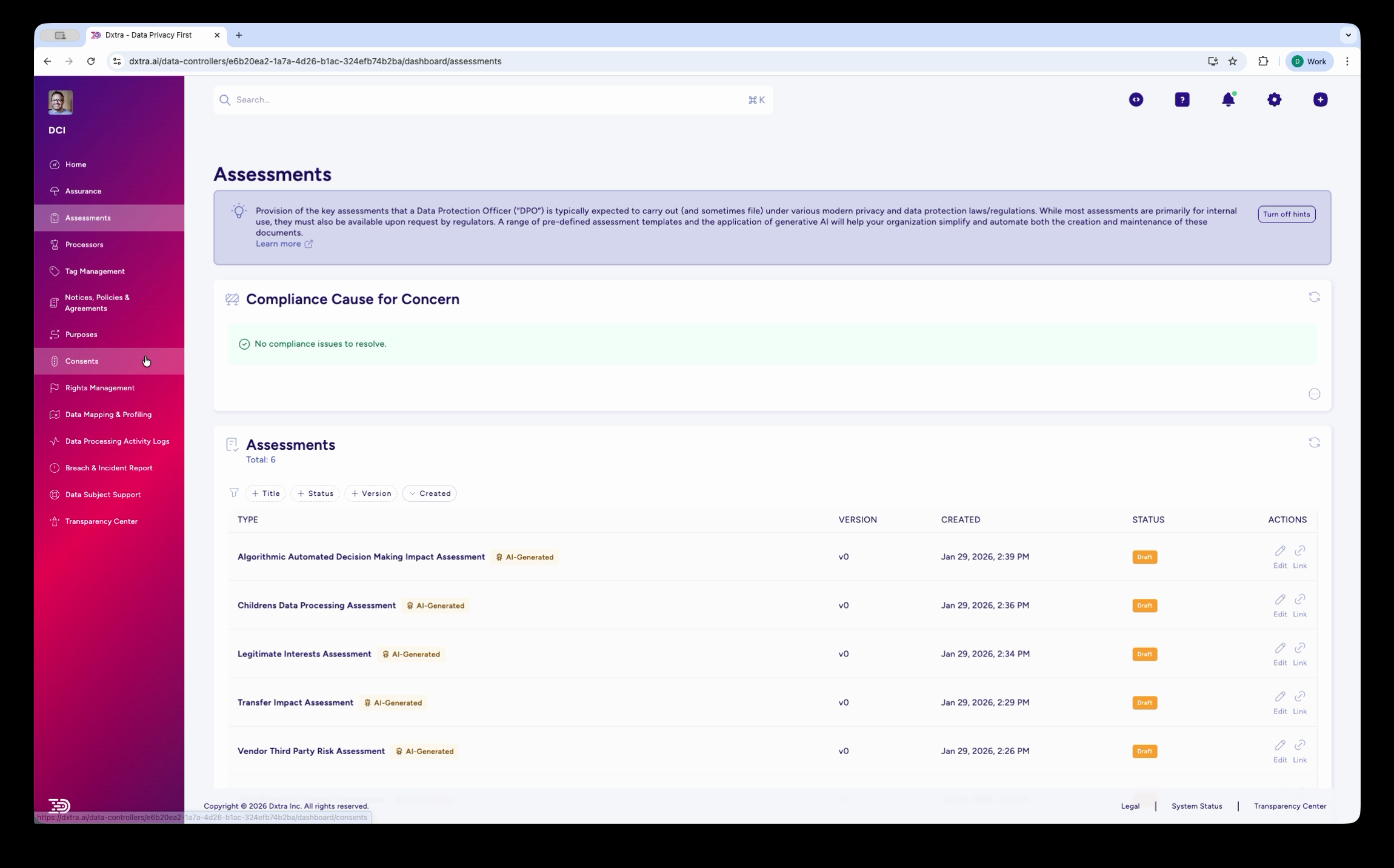
The Assessments page showing the list of AI-generated assessments with columns for Type, Version, Created date, Status, and Actions. Assessment types include Algorithmic/Automated Decision Making Impact Assessment, Children's Data Processing Assessment, Legitimate Interests Assessment, Transfer Impact Assessment, and Vendor Third Party Risk Assessment — each tagged "AI Generated."
- Go to Assessments > Create New
- Select DPIA
- Enter processing name (e.g., "Customer CRM Implementation")
- Assign owner and stakeholders
- Set completion deadline
Step 2: Describe Processing Activity
- Complete Processing Overview section:
- Purpose (why are you processing?)
- Legal basis (consent, contract, legitimate interest, etc.)
- Data categories (names, emails, behavior, health, etc.)
- Data subjects (customers, employees, web visitors)
- Recipients (internal teams, vendors, partners)
- Storage location and duration
- Processing operations (collection, analysis, deletion)
Step 3: Assess Impact & Risk
- In Risk Assessment section, evaluate:
- Likelihood: How probable is a rights violation?
- Severity: How damaging would violation be?
- Vulnerability: Are individuals easily identifiable?
- Safeguards: What existing controls reduce risk?
- Dxtra calculates overall risk level (Low/Medium/High)
Step 4: Document Safeguards
- In Mitigating Measures section, list controls addressing identified risks:
- Technical: encryption, anonymization, access controls
- Organizational: training, policies, monitoring
- Legal: contracts, consent, transparency
- After mitigation, reassess residual risk
Step 5: Determine consultation requirements
- Review Dxtra's determination:
- No Requirement: Low residual risk
- Internal Consultation: Medium risk (DPO review)
- Authority Consultation: High residual risk (must notify Authority)
- If Authority consultation required, document justification
Step 6: Review & Finalize
- Route to DPO or compliance lead for review
- Address feedback comments
- Once approved, lock assessment and set review date
- Auto-generate Authority notification letter if needed
Step 7: Monitor & Update
- Set reminders for periodic review (recommend annually)
- Update if processing changes significantly
- Track any security incidents related to this processing
- Link incident logs as evidence of mitigations' effectiveness
Assessment finalization and approval
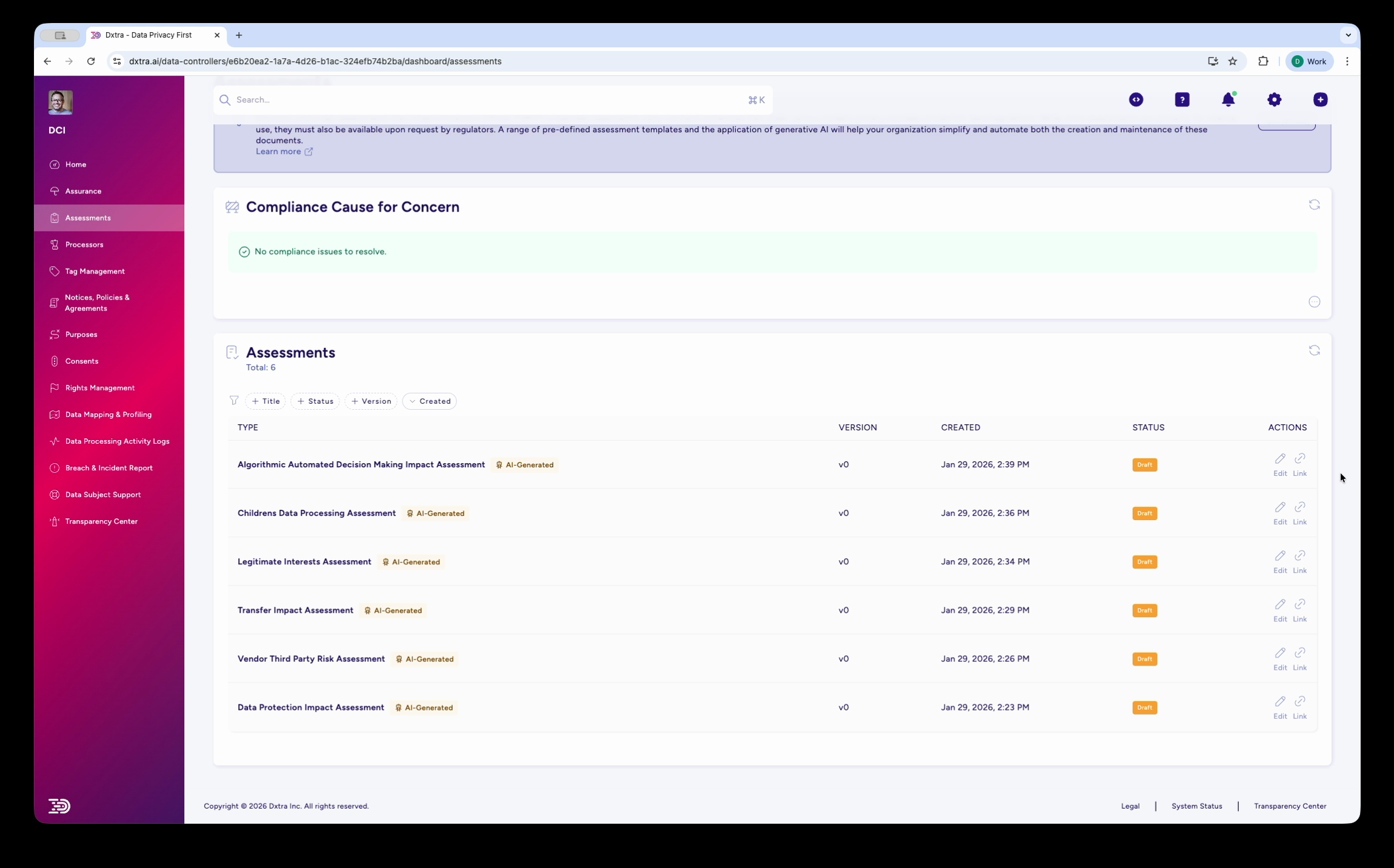
The Assessments page scrolled down, showing additional assessment types including the Data Protection Impact Assessment. All assessments display their version, creation date, status, and available actions (view, edit, download).
Best practices
[!TIP] Start assessments early in project planning. Assessments inform requirements for privacy-by-design, not post-implementation compliance checks.
1. Conduct Assessments Before Deployment - Integrate into project governance and approval gates - Delay go-live if high risks remain unmitigated - Use assessment timeline as project constraint
2. Involve Cross-Functional Teams - Include business, technical, legal, and security representatives - Assign subject-matter experts to relevant sections - Use Dxtra's assignment feature to distribute work
3. Base Risk Assessment on Evidence - Reference security audit reports, SOC 2 statements - Include actual incident data from similar systems - Don't inflate or minimize risks for organizational convenience
4. Document Alternatives Considered - Explain why chosen approach was selected over alternatives - Demonstrate legitimate interest through comparative analysis - Shows regulatory authorities your due diligence effort
5. Make Mitigations Concrete - Specify which teams will implement controls - Assign owners and target completion dates - Don't list aspirational safeguards - Follow up during monitoring to ensure implementation
6. Link to Processing Records - Each assessment should reference Records of Processing Activities - Use assessment risk levels to inform processing record classification - Create feedback loop: Records of Processing Activities changes trigger assessment updates
7. Maintain Assessment Inventory - Regular audit of which assessments need updating - Assign explicit ownership for each assessment type - Use Dxtra reminders to prevent assessments from becoming stale
8. Use Assessments in Authority Responses - Regulatory inquiries should reference completed DPIAs - Demonstrate systematic risk management approach - Show proactive compliance through assessment program
Assessment checklist
Before Starting - [ ] Processing activity documented in Records of Processing Activities - [ ] Stakeholders identified and assigned - [ ] Legal basis for processing confirmed - [ ] Vendor/processor details known (if applicable) - [ ] Timeline and deadline set
During Assessment - [ ] All data categories identified - [ ] All recipient types documented - [ ] Risk factors for each stakeholder type evaluated - [ ] Existing safeguards listed - [ ] Gaps in controls identified - [ ] Mitigation measures assigned owners and dates - [ ] Residual risk acceptable to organization
After Completion - [ ] Assessment reviewed and approved - [ ] Authority notification prepared (if required) - [ ] Key findings communicated to stakeholders - [ ] Mitigations tracked in implementation roadmap - [ ] Monitoring schedule established - [ ] Assessment archived in audit-ready format
Related documentation
- Processing Activity Log — Link assessments to processing documentation
- Processors — Vendor assessments and TIAs
- Assurance — Document mitigation measures and controls
- Governance: Impact Assessments — Policy and standards framework